Website User Feedback Tool: 10 Use Cases Across the Funnel
A website user feedback tool is only “nice to have” until you have to answer questions like:
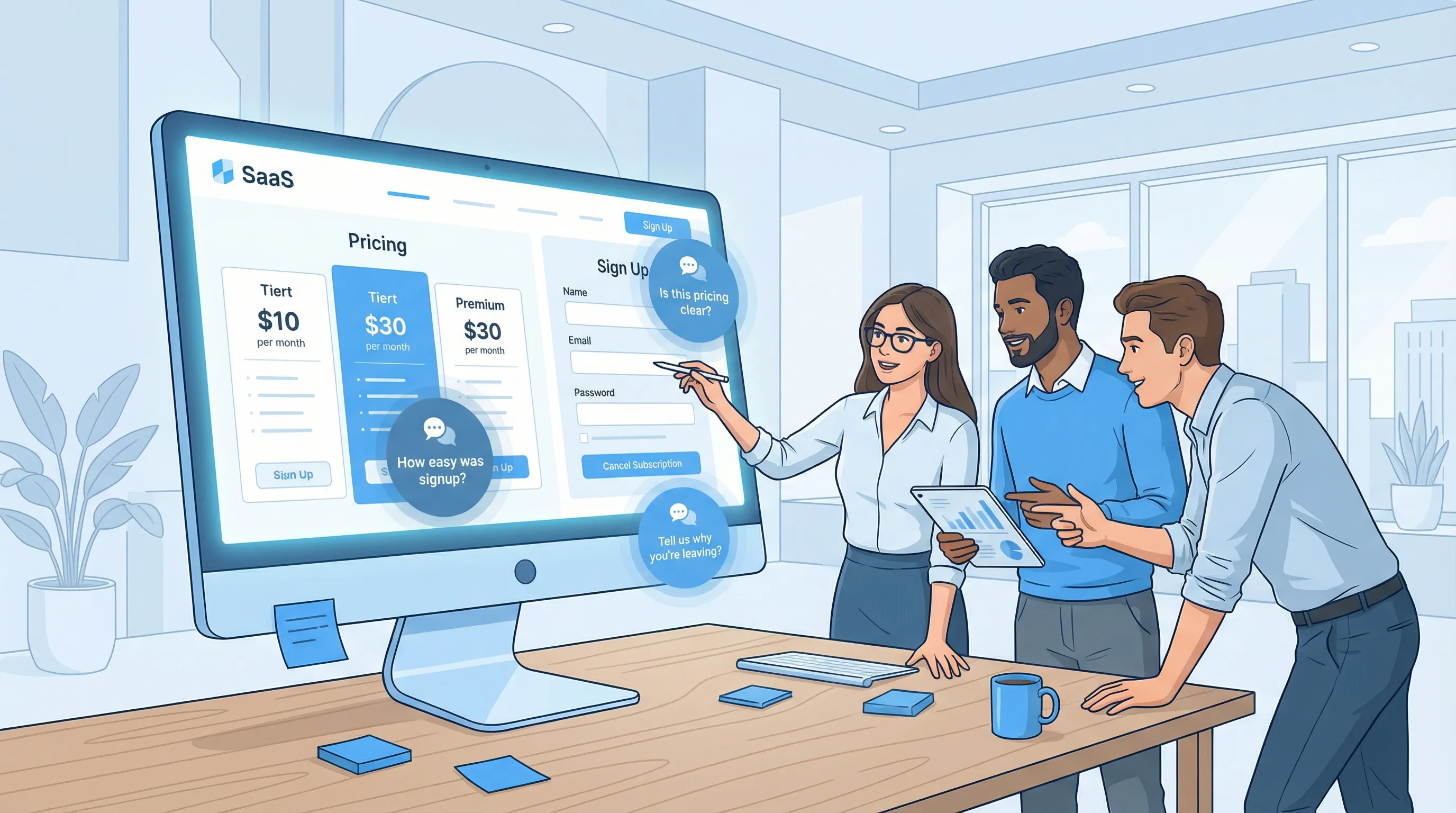
A website user feedback tool is only “nice to have” until you have to answer questions like:
- Why is traffic up, but trials flat?
- Why do qualified visitors bounce on pricing?
- Which onboarding step actually blocks activation?
The teams that win tend to treat feedback like instrumentation. Not big quarterly surveys, but small, targeted prompts that fire at the right moment, capture intent, and feed directly into a decision.
This article gives 10 practical use cases across the funnel, with example prompts, targeting ideas, and the metrics that tell you whether your feedback program is helping or harming conversions.
A simple way to think about funnel feedback
Most feedback programs fail for one of three reasons:
- Wrong moment (asking too early or too late)
- Wrong audience (everyone sees it, so no one cares)
- No decision attached (you collect “insights” that never change anything)
A reliable operating model for funnel feedback is:
- Ask one question tied to one decision.
- Route the answer to an owner (product, marketing, sales, support).
- Act with a visible change (copy update, onboarding tweak, product fix), then measure impact.
If you use an on-site widget, add two guardrails from day one:
- Frequency caps and cooldowns (avoid prompt fatigue). ModalCast has a good primer on this in Popup Frequency Capping That Protects UX.
- Respectful design (clear close, no forced answers). See Dark Patterns to Avoid in Popups for an ethical checklist.
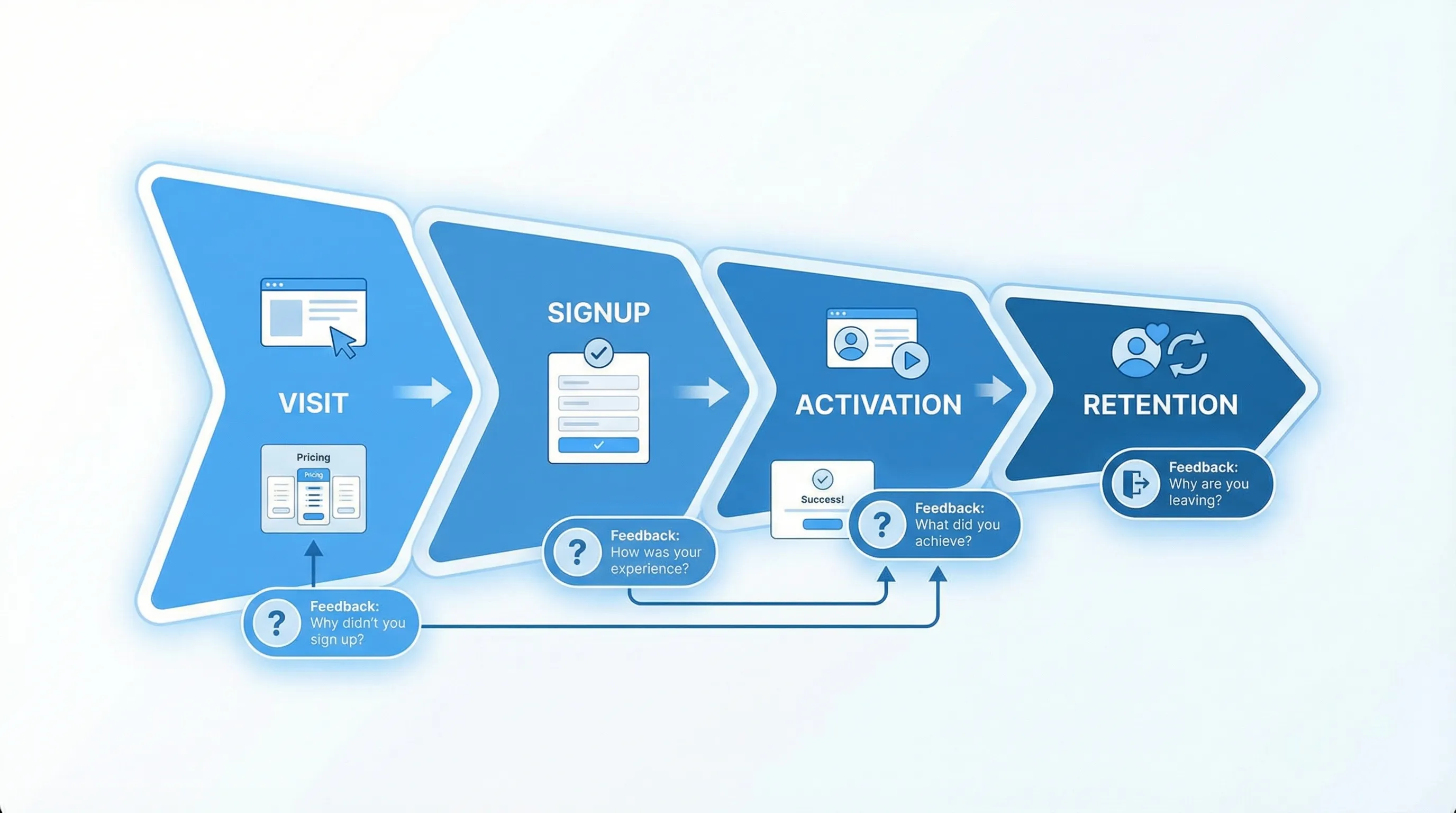
The 10 use cases (mapped to funnel stages)
Use this table to pick the fastest win for your current bottleneck.
| Funnel stage | Use case | Where it runs | Example prompt | Primary decision | What to measure |
|---|---|---|---|---|---|
| Awareness | 1) Homepage clarity check | Homepage, high-bounce segments | “What brought you here today?” | Fix positioning and navigation | Response rate, bounce rate (holdout) |
| Awareness | 2) Content intent capture | Blog posts, docs, resource hubs | “Was this page what you expected?” | Improve content and internal links | Helpful rate, next-page click |
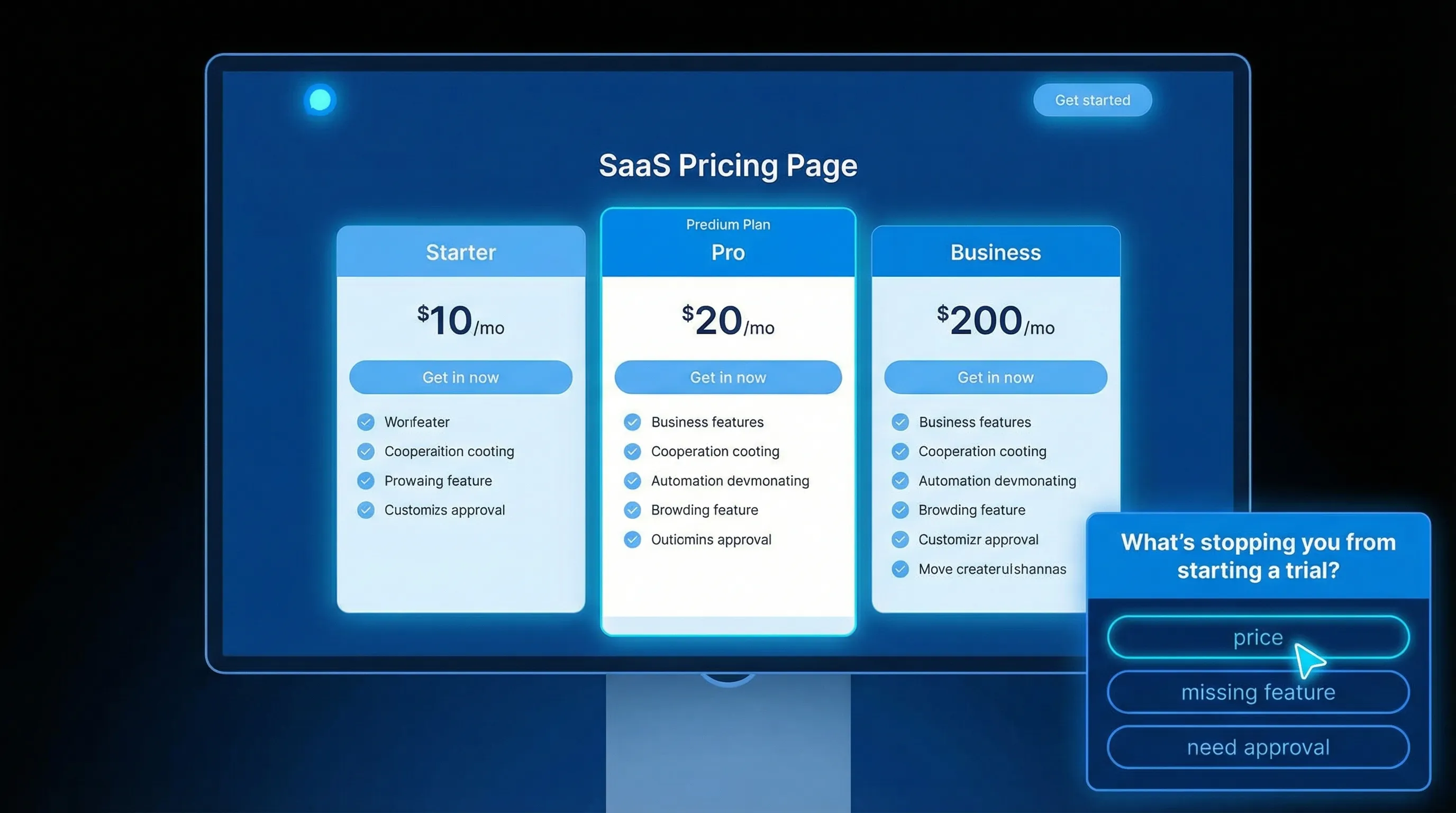
| Consideration | 3) Pricing objection pulse | Pricing page, plan comparison | “What’s stopping you from starting a trial?” | Remove top objections | Objection distribution, trial starts |
| Consideration | 4) Competitor comparison intercept | /compare pages, alternatives pages | “Which tool are you replacing?” | Adjust messaging and migration help | Competitor share, demo CTR |
| Consideration | 5) “Right plan” micro-qualifier | Pricing, checkout, demo page | “How will you use this?” | Route to the right CTA and proof | CTA clicks, lead quality |
| Conversion | 6) Signup friction catcher | Signup page, form errors | “What blocked you?” | Fix form flow and trust gaps | Completion rate, error rate |
| Activation | 7) Post-signup intent survey | After account creation | “What do you want to achieve first?” | Route onboarding and reduce TTFV | Activation rate, TTFV |
| Activation | 8) First-success confirmation | After first key action | “Was this easier or harder than expected?” | Remove hidden friction | Repeat action rate |
| Retention | 9) In-product CSAT at moments that matter | After support resolution or key workflow | “How satisfied are you with this outcome?” | Prioritize reliability and UX | CSAT trend, ticket volume |
| Churn | 10) Cancellation reason plus save path | Cancel flow, downgrade flow | “What’s the main reason you’re leaving?” | Build churn fixes and rescue offers | Save rate, churn reasons |
Top of funnel (Awareness): capture intent without slowing the site
1) Homepage clarity check (message-market fit, fast)
When to use it: Your traffic is decent, but bounce is high, or you suspect people misunderstand what you do.
Trigger idea: Show to first-time visitors after they’ve scrolled 40 to 60 percent, or after 10 to 15 seconds on page. Avoid firing instantly.
Prompt that works:
- “What brought you here today?” (single open text)
- Optional follow-up: “What were you hoping we’d help with?”
What you do with answers: Tag responses into buckets (use a lightweight taxonomy like “use case,” “role,” “competitor,” “budget,” “timing”). Then:
- Update hero copy to reflect the top two intents.
- Add two navigation links that match those intents.
- Add one proof element (security, integrations, ROI) aligned to the most common “why you” question.
Metrics and guardrails:
- Response rate (directional is fine)
- Bounce rate and CTA click-through using a holdout (some visitors never see the prompt)
- Qualitative signal: do responses converge, or are they all over the place?
If you want placement patterns that avoid harming conversions, see Website Feedback Widget Placement: Best Practices to Convert.
2) Content intent capture (turn “reading” into a journey)
When to use it: Your blog or help content gets traffic, but visitors don’t progress to product pages.
Trigger idea: Show after the reader reaches 60 to 80 percent scroll depth, or when they pause near a key section.
Prompt options:
- “Was this what you expected to find?” (Yes / Partly / No)
- “What should we add to make this page more useful?” (short text)
What you do with answers:
- If “No,” ask one follow-up: “What were you trying to do?” and use that to add missing sections and internal links.
- If “Partly,” insert a “next best action” block (template, checklist, integration guide).
This is one of the cleanest ways to improve engagement without adding aggressive lead capture. If you do combine it with capture, keep it progressive (small asks over time). ModalCast’s Progressive Profiling: A Simple Starter Guide is a solid playbook.
Mid funnel (Consideration): find objections you can actually fix
3) Pricing objection pulse (the highest leverage survey for many SaaS sites)
When to use it: People view pricing, then disappear. Sales says “pricing is confusing” but can’t prove why.
Trigger idea: Only after the visitor has shown intent (spent time, clicked plan toggles, opened FAQ), or on exit intent from pricing.
Prompt that works:
- “What’s stopping you from starting a trial today?”
Provide a short list plus “Other”:
- “Not sure it fits my use case”
- “Too expensive”
- “Need a specific feature”
- “Need approval”
- “Just researching”
What you do with answers (concrete actions):
- “Not sure it fits” means you need clearer use cases on pricing, not more discounts.
- “Need a feature” means your pricing page should link to a capability doc, roadmap policy, or workaround.
- “Need approval” means add an internal pitch deck, security pack, or procurement notes.
Metrics and guardrails:
- Objection distribution by segment (new vs returning, SMB vs enterprise pages, geo)
- Trial starts or demo clicks from pricing (again, use a holdout)
If you want to go deeper on running feedback while protecting conversion, see Collect Feedback Without Killing Conversions.
4) Competitor comparison intercept (steal back narrative)
When to use it: You rank for “Alternative to X” or you have competitor pages, but conversion is inconsistent.
Trigger idea: On competitor pages after they’ve read at least one section, or after clicking “See pricing” on that page.
Prompt options:
- “Which tool are you replacing?” (dropdown)
- Follow-up (conditional): “What’s the main reason you’re switching?”
What you do with answers:
- Update comparison tables to address the top switching reasons.
- Build migration guides for the top 1 to 2 competitors.
- Adjust proof: if people switch for “support” or “reliability,” case studies beat feature lists.
Metric: Demo click-through rate and lead quality (SQL rate), not just conversion rate.
5) “Right plan” micro-qualifier (segment without creepy tracking)
When to use it: You have multiple plans or personas, and visitors struggle to self-select.
Trigger idea: On pricing, but only after engagement (plan toggle, comparison scroll) or when they click “Start trial” (pre-CTA).
Prompt that works:
- “What are you trying to do?”
Simple options:
- “Replace spreadsheets/manual work”
- “Ship faster with integrations”
- “Meet security/compliance needs”
- “Not sure yet”
What you do with answers:
- Route “security” intent to a security overview or sales CTA.
- Route “not sure” to a short guided path (2-step) instead of dumping them into signup.
This is also a practical bridge into on-site ABM if you do account targeting. See Onsite ABM: Personalized Popups for Target Accounts.
Bottom of funnel (Conversion): fix the stuff analytics cannot explain
6) Signup friction catcher (catch failures while the pain is fresh)
When to use it: Your signup conversion is lower than expected, and you can’t pinpoint why.
Trigger idea: After a form error repeats, after a long idle time on the signup page, or on exit intent from signup.
Prompt that works:
- “What blocked you from creating an account?”
Provide options that map to fixes:
- “Email verification never arrived”
- “Password requirements were confusing”
- “I had a security/privacy question”
- “I didn’t want to enter my credit card”
- “Other”
What you do with answers:
- Verification problems are usually deliverability and UX, fix copy and resend flows.
- Privacy questions indicate missing trust content (data retention, SOC 2 status, DPA, etc.).
- Credit card objections mean you should test a no-card trial or a clearer explanation of why you ask.
Metrics: Signup completion rate, time-to-complete, and drop-off by step. Validate improvements with an experiment.
If your prompts run as popups, keep them light so they don’t hurt performance, especially on mobile. Google’s Core Web Vitals are a helpful reference for UX and performance guardrails.
Activation: turn “new user” into “got value” faster
7) Post-signup intent survey (route onboarding, reduce time to first value)
When to use it: You have solid signup volume, but activation is weak or slow.
Trigger idea: Immediately after account creation, or right after the first login.
Prompt that works:
- “What do you want to accomplish first?”
Options should map to onboarding routes:
- “Set up my workspace/project”
- “Integrate with another tool”
- “Invite my team”
- “Explore first”
What you do with answers:
- Change the first screen they see (or the checklist) based on intent.
- Send the right in-app guide or email sequence based on the chosen path.
ModalCast has a dedicated playbook here: Post-Signup Surveys That Improve Activation.
Metrics: Activation rate within your time-to-first-value window, and TTFV itself.
8) First-success confirmation (the “hidden friction” detector)
When to use it: People complete onboarding steps but don’t return, or your key action is complex.
Trigger idea: Immediately after the user completes the first meaningful action.
Prompt that works:
- “Was that easier or harder than you expected?” (Easier / About right / Harder)
- If “Harder,” ask: “What made it hard?”
What you do with answers:
- If “harder” clusters around the same step, your onboarding analytics might say “completed,” but the user experience is still broken.
- Use verbatim responses to rewrite tooltips, rename fields, or adjust defaults (defaults matter more than most teams think).
Metrics: Repeat usage of the core action within 7 days, feature adoption depth, and support tickets tagged to that flow.
Retention: measure satisfaction where it predicts churn
9) In-product CSAT at moments that matter (not randomly)
When to use it: You want a satisfaction pulse tied to an outcome, not a vague “How are we doing?”
Trigger ideas:
- After a support interaction is marked resolved
- After a user completes a workflow that represents value
- After an incident is resolved (for reliability-sensitive products)
Prompt that works:
- “How satisfied are you with the outcome?” (1 to 5)
- Follow-up: “What could we do better?”
What you do with answers:
- Route low scores into a recovery workflow (fast follow-up, offer help, capture details).
- Trend scores by segment (plan, persona, integration usage).
For CSAT mechanics and timing, see Enhancing Customer Satisfaction with CSAT Surveys.
Metrics: CSAT trend, volume of low scores by segment, and churn correlation (directional is fine at first).
Churn: collect reasons, then build a save path that respects the user
10) Cancellation reason plus save path (feedback that directly protects revenue)
When to use it: You have churn, and “exit interviews” happen too late.
Trigger idea: Only inside the cancel or downgrade flow, after the user clicks cancel, but before final confirmation.
Prompt that works:
- “What’s the main reason you’re leaving?”
Options that map to action:
- “Too expensive”
- “Missing a feature”
- “Didn’t have time to set it up”
- “Switching to another tool”
- “Other”
What you do with answers:
- “Didn’t have time” should route to a fast setup offer (concierge onboarding, checklist, short call) rather than a discount.
- “Missing feature” should capture which feature, then offer a realistic alternative (workaround, roadmap note, integration).
- “Too expensive” is where a plan downgrade, pause option, or annual discount test can make sense, if it’s aligned with your business.
Metrics and guardrails:
- Save rate (how many cancel attempts you convert into downgrades, pauses, or retained accounts)
- Churn reason distribution by plan and tenure
- Keep the flow honest, the FTC has made “click to cancel” and subscription friction a focus area in enforcement and guidance. Reference: FTC guidance on negative option and subscription practices.
How to choose the right use case (without over-surveying)
If you’re not sure what to ship first, pick based on where your funnel leaks:
- High traffic, low engagement: start with Homepage clarity or Content intent capture.
- High pricing views, low starts: start with Pricing objection pulse.
- High signups, low activation: start with Post-signup intent survey.
- Rising churn: start with Cancellation reason plus save path.
Then commit to one weekly cadence: review responses, tag themes, ship one change, measure in a holdout.
If you want a faster tactical launch, ModalCast also has a quick walkthrough: Ship a Feedback Website Tool in 15 Minutes.
Frequently Asked Questions
What is the best website user feedback tool for SaaS? The best tool is the one that can target prompts by page and intent, control frequency, load fast, and route responses to decisions your team will actually make.
How do I collect feedback without lowering conversion rate? Use intent-based triggers (post-action, scroll, exit intent), keep prompts short, and measure with holdouts. Don’t show prompts to every visitor.
What questions should I ask on a pricing page? Ask what’s stopping them from starting, and offer answer choices that map to fixes (trust, missing feature, approval, price, timing).
How many questions should an on-site survey have? Usually one. If you add a second question, make it conditional and only for the segment that needs it.
Should I use popups or a passive feedback button? Use both as a stack: a passive option for always-on feedback, plus triggered micro-prompts at high-signal moments.
Put these use cases live with one lightweight widget
If you want to run these plays without adding a complex survey stack, ModalCast is a lightweight engagement and feedback widget built for SaaS and website teams. You can collect user feedback, share product updates, capture leads, and promote offers through on-site messages and popups, while keeping the experience simple.
Start by shipping one use case (pricing objections or post-signup intent are usually the fastest wins), set a frequency cap, and review responses weekly. When feedback is tied to a decision, it stops being “nice to have” and starts moving funnel metrics.
