Onsite ABM: Personalized Popups for Target Accounts
Onsite ABM is the missing middle layer between your ABM ads and your sales team’s follow-up.
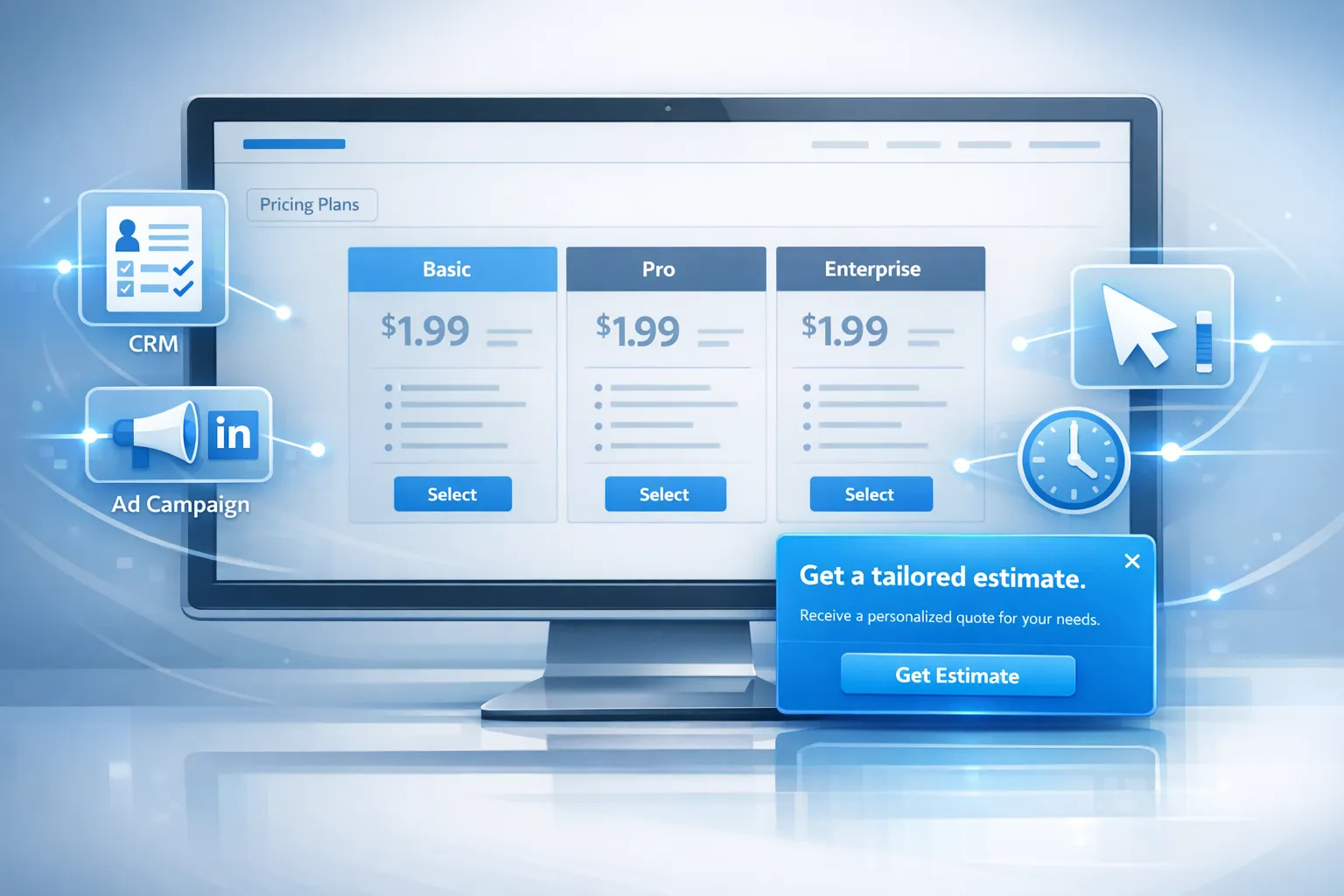
Onsite ABM is the missing middle layer between your ABM ads and your sales team’s follow-up.
If you are already running account-based campaigns (LinkedIn ads, intent platforms, outbound sequences), you are paying for target accounts to land on your site. But most SaaS websites still greet those visitors with generic messaging, generic CTAs, and generic lead forms.
Onsite ABM fixes that by tailoring popups (and other onsite messages) to target accounts and segments, based on what you know about them and what they are doing right now.
This article walks through a practical playbook for building personalized popups for target accounts, without turning your site into a “creepy” experience or a performance bottleneck.
What “onsite ABM” actually means (and what it is not)
Onsite ABM is using account-level context to personalize your website’s prompts, forms, and offers.
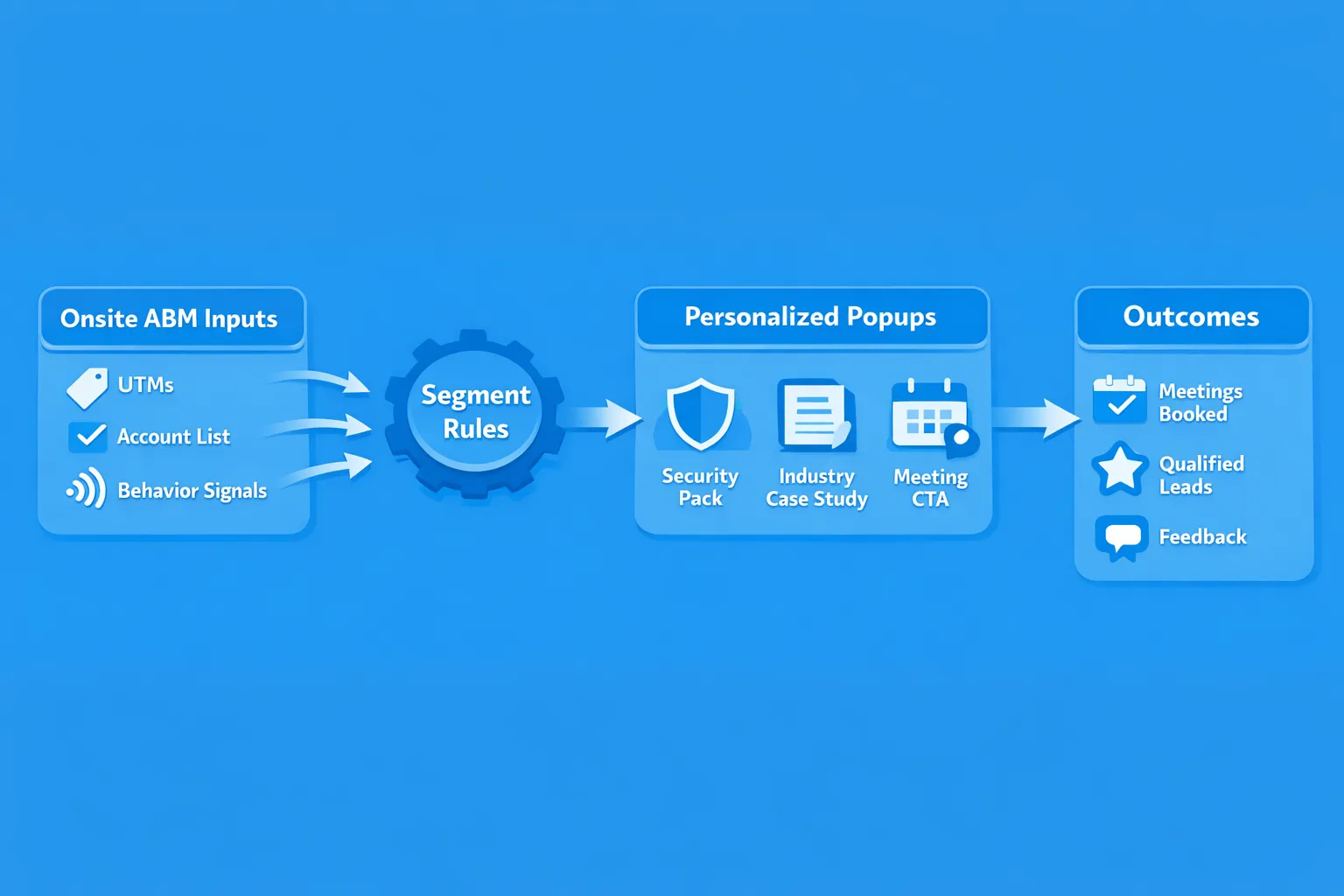
That context typically comes from:
- Account lists (your CRM, ABM tool, or a spreadsheet of target accounts)
- Firmographics (industry, size, region)
- Visit source (UTMs from ABM ads, email, partner links)
- Behavioral signals (pages visited, repeat visits, time on page, scroll depth)
- In some cases, IP-based company enrichment (with the usual caveats around accuracy and privacy)
What onsite ABM is not:
- Replacing your homepage with 100 versions
- Slapping “Hi Acme!” on a popup for every visitor (often inaccurate and usually off-putting)
- Showing more popups, more often
The goal is simple: reduce friction for the specific accounts you want to convert, and capture better context when they are ready to engage.
Why popups are a good fit for onsite ABM (when done carefully)
ABM personalization tends to fail when it requires heavy engineering or major IA changes. Popups and lightweight widgets work because they can be:
- Targeted (only show to the segment you care about)
- Triggered by intent (only show when a visitor demonstrates relevant behavior)
- Iterated quickly (copy and offers can be A/B tested without shipping code)
- Measured cleanly (you can tie each message to an action: meeting booked, form submitted, doc requested)
The caveat: popups can also hurt UX if you overuse them. If you have not already implemented guardrails like frequency capping and page exclusions, fix that first. Modalcast has a solid overview of practical caps in Popup Frequency Capping That Protects UX.
The onsite ABM playbook: from account list to live personalization
Step 1: Choose one ABM outcome per page type
Onsite ABM works best when you stop trying to “convert” and instead help the visitor complete the next step that matches their job to be done.
A useful way to plan is by page type:
| Page type | What target accounts are trying to answer | Best-fit popup goal |
|---|---|---|
| Homepage | “Are you relevant to us?” | Route to the right proof (industry, use case) |
| Pricing | “Can we afford this, and how does it work?” | Capture buying intent and get a sales conversation |
| Security / compliance | “Can you pass our security review?” | Offer the right docs, or a fast security Q&A flow |
| Case studies | “Has this worked for companies like us?” | Serve the most relevant proof and a CTA to talk |
| Docs / help center | “Will this integrate, and how hard is it?” | Offer implementation help, not a generic demo |
A common mistake is deploying one ABM popup everywhere (“Book a demo”), then calling it personalization because you changed the headline.
Instead, build one high-intent experience for one critical page type (pricing is usually the best starting point).
Step 2: Decide how you will identify “target account traffic”
There are three practical identification paths. You can use one or combine them.
Path A: Campaign-based identification (fastest and cleanest)
If you are running ABM ads or outbound, use UTMs and landing pages to label traffic.
Example:
utm_campaign=abm_fintech_q1- Dedicated landing page for fintech accounts
- Popup rules apply only when those UTMs are present
This is reliable, privacy-friendly, and easy to analyze.
Path B: List-based identification (tight alignment with sales)
If you maintain a list of named accounts, you can map onsite behavior to “Tier 1” vs “Tier 2” segments.
This typically requires passing account attributes into your site experience (via your ABM platform, reverse IP provider, or your own enrichment).
Path C: Intent-based identification (good when lists are incomplete)
You can treat certain behaviors as “ABM-like intent,” even when you cannot name the company.
Examples:
- Visiting
/pricingplus/securityin the same session - Returning to pricing within 7 days
- Spending 90+ seconds on integration pages
This is often enough to justify a tailored CTA (like “Talk to an integration specialist”) even without account identification.
Step 3: Map each target segment to a specific “reason to act”
Personalization is not “company name insertion.” In B2B SaaS, the highest leverage personalization is usually:
- Role relevance (security, finance, ops, marketing)
- Industry proof (case study, compliance readiness)
- Implementation reality (how it integrates, timelines)
- Procurement readiness (terms, invoicing, annual pricing, ROI)
Here is a practical mapping table you can adapt:
| Segment signal | What they likely need | Popup offer that matches |
|---|---|---|
| Fintech or healthcare | Risk reduction, compliance | “Security pack” (SOC 2, DPA summary, sub-processors) request form |
| High employee count | Rollout confidence | “Enterprise rollout plan” plus optional technical call |
| Repeated pricing visits | Buying committee forming | “Get a tailored estimate” lead form with 2 questions |
| Docs + integrations pages | Technical validation | “Ask an implementation question” microsurvey routed to solutions |
| Partner referral traffic | Quick alignment | “See the partner playbook” plus a short lead capture |
If you are using Modalcast, this is where its “one widget, multiple post types” approach is useful: you can run a lead form, a microsurvey, or an announcement from the same onsite surface, without building new UI each time.
Step 4: Write popup copy that feels helpful, not stalker-ish
The fastest way to make onsite ABM feel creepy is to reveal how you identified the account.
Avoid:
- “Hi team at Acme Corp, we saw you checking our pricing.”
- “We noticed you are in New York and work at a 1,000+ employee company.”
Prefer:
- Industry framing: “For fintech teams evaluating category…”
- Role framing: “Need security review docs?”
- Behavior framing: “Comparing plans?” (only when it is true based on the page)
Here are copy templates that work well for target-account traffic.
Security page (regulated segments)
- Headline: “Need our security pack?”
- Body: “Get the docs your team typically asks for (SOC 2, DPA summary, and sub-processor list).”
- CTA: “Request docs”
- Form fields: work email, company, what you need (optional)
Pricing page (repeat visitors)
- Headline: “Want a number you can share internally?”
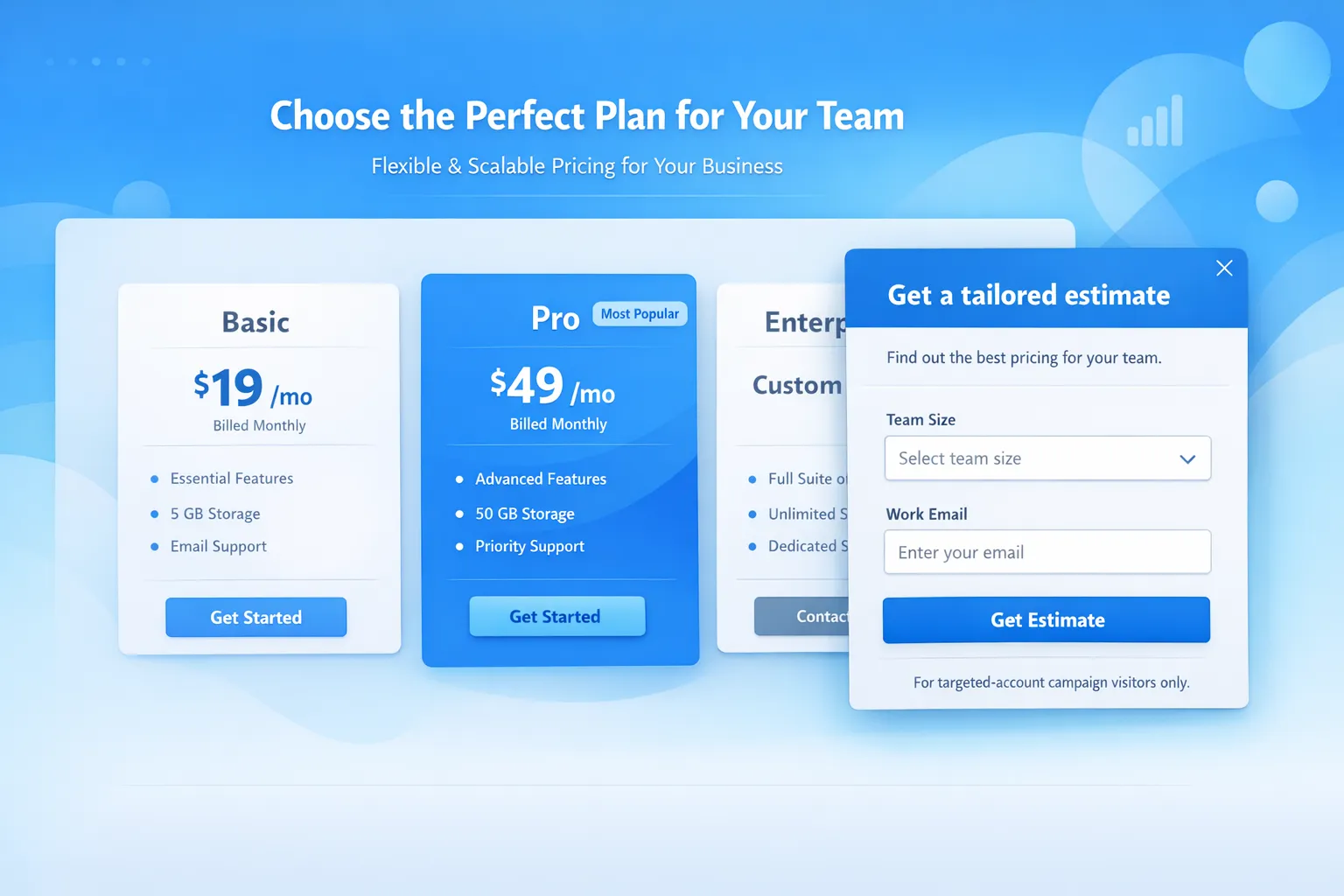
- Body: “Tell us your team size and use case. We’ll reply with a quick estimate and the plan we recommend.”
- CTA: “Get an estimate”
- Form fields: team size, primary use case, work email
Integration/docs (technical evaluators)
- Headline: “Can we help you validate the integration?”
- Body: “Ask one implementation question. We’ll respond with the exact docs or steps.”
- CTA: “Ask a question”
- Form fields: question (free text), email (optional if you support anonymous)
Notice what is happening: the “personalization” is not theatrical. It is simply a better next step for that context.
For more copy mechanics (benefits, clarity, CTA discipline), Modalcast’s guide Expert Tips for Crafting Effective Messages That Engage Customers is a helpful companion.
Step 5: Use triggers that respect intent (and protect conversion)
A common onsite ABM failure mode is showing a target-account popup too early. ABM visitors often need proof first, and they are more likely to bounce if interrupted.
Instead of firing immediately on page load, use intent-based triggers:
| Trigger | Best used for | Why it works |
|---|---|---|
| Scroll depth (50%+) | Case studies, landing pages | Visitor has consumed enough to make an informed choice |
| Time on page (30 to 60 seconds) | Security, docs, pricing | Filters out drive-by traffic |
| Exit intent | Pricing, comparison pages | Converts abandoning high-intent visitors |
| Click trigger (button, tab, link) | “Request security pack”, “Talk to sales” | Strongest intent, lowest annoyance |
If you want a deeper treatment of “right moment” patterns (especially for lead capture), see Lead Capture That Doesn’t Feel Pushy.
Step 6: Add ABM-specific guardrails (frequency, exclusions, and collisions)
Onsite ABM can backfire when it competes with your existing onsite messaging (newsletter popups, promo bars, chat widgets, cookie banners).
Set these guardrails before you scale:
- Frequency caps by campaign and globally (for example, do not show the same ABM popup more than once per session, and set a cooldown across days)
- Exclude critical flows (checkout, in-app billing, auth pages, support ticket submission)
- Define campaign priority (ABM should typically override generic lead capture, not the other way around)
- Ensure mobile UX is not cramped, especially with fixed headers and cookie banners
Modalcast has an implementation-focused write-up on this exact problem in Popup Frequency Capping That Protects UX.
Step 7: Measure onsite ABM like a pipeline feature, not a “popup conversion rate”
If you only track “popup submissions,” you will over-optimize for volume and under-optimize for sales outcomes.
For SaaS ABM, measure in layers:
Engagement and quality signals
- Popup view rate (did targeting work)
- CTA click rate (is the offer relevant)
- Form completion rate (is the ask reasonable)
- Field-level drop-off (which question scares people off)
Sales and pipeline signals
- Meetings booked per target-account session
- Opportunity creation rate for accounts that saw the popup vs did not
- Stage progression speed (did they get unstuck)
- Influence on multi-touch journeys (especially if you run ABM ads)
To make analysis possible, keep your ABM popups tied to clear actions: one form, one meeting link, one doc request, one micro-question.
If your widget also collects feedback (for example, “What is blocking you from moving forward?”), route those responses to a real owner and close the loop. Teams often underestimate how much ABM pipeline is won by removing one unclear detail.
Three real-world onsite ABM plays you can launch quickly
Play 1: “Security pack” popup for regulated target accounts
When to use: You sell into regulated industries or enterprise accounts with formal security reviews.
Targeting:
- Visits to
/security,/trust,/compliance, or similar - Optional: UTMs from enterprise ABM campaigns
- Optional: firmographic segment (finance, healthcare)
Popup: Doc request form plus one optional qualifier.
Why it converts: It turns a long, sales-led back-and-forth into a single, fast step that matches how buying committees actually behave.
Avoid: Forcing a demo request. Security evaluators are often not the business buyer.
Play 2: Pricing-page “recommend a plan” for Tier 1 accounts
When to use: Your pricing is not fully self-serve for larger teams, or buyers need internal alignment.
Targeting:
- Tier 1 accounts (named list) or ABM UTMs
- Pricing page
- Trigger after scroll or time on page
Popup: 2-question form that produces a clear follow-up promise.
Example promise: “We’ll reply with a recommended plan and a ballpark estimate in one email.”
This works because it respects procurement reality. Many target accounts are not ready for a “sales call,” but they are ready for a number they can share.
Play 3: “What are you trying to evaluate?” microsurvey to route target accounts
When to use: Your product supports multiple use cases, and generic demos underperform.
Targeting:
- ABM landing pages
- High-intent content (comparison pages, case studies)
Popup: Single-question microsurvey.
Example question options:
- “Replacing an existing tool”
- “Evaluating for a new workflow”
- “Security review”
- “Implementation and integrations”
Then route visitors to:
- The most relevant proof (case study or guide)
- The right CTA (meeting with sales vs technical consult)
- The right follow-up sequence (if they leave an email)
If you build microsurveys as part of your onsite ABM, keep them short and contextual. Modalcast’s How To Set Up Microsurveys in Your Website or App goes deep on triggers and question design.
Common onsite ABM mistakes (and how to avoid them)
Mistake 1: Treating personalization as a copy trick
Changing “Book a demo” to “Book a demo, Acme” is not personalization, it is a gamble on accuracy.
Personalization that works is about:
- The right offer
- The right moment
- The right amount of friction
Mistake 2: Asking for too much too early
ABM visitors are not magically more willing to fill out long forms. If anything, they are more skeptical.
Start with minimal fields and use progressive profiling over time. If you want a practical framework for collecting more data without killing conversion, see Progressive Profiling: A Simple Starter Guide.
Mistake 3: Letting ABM popups slow down the site
ABM traffic is expensive. Do not sabotage it with a heavy client-side personalization stack.
If your widget is loading slowly or impacting Core Web Vitals, fix performance before you scale campaigns. Modalcast covers practical approaches in Popup Load Speed Without Sacrificing Design.
Mistake 4: Measuring “popup conversion” instead of “account movement”
A low popup conversion rate can still be a win if:
- The leads are high quality
- The accounts progress faster
- The security review completes without stalling
Tie onsite ABM to account outcomes, not vanity metrics.
How Modalcast fits into onsite ABM (without adding complexity)
Modalcast is positioned as a lightweight onsite widget for SaaS and websites. In an onsite ABM workflow, a tool like that is useful when you need to:
- Show targeted onsite messages and popups for specific segments
- Collect lead details through forms (without rebuilding pages)
- Run microsurveys to learn what target accounts need next
- Promote timely offers or updates to high-intent visitors
If you are building onsite ABM, treat your widget as a reusable delivery layer: one place to launch targeted prompts, learn from responses, and iterate quickly.
A good starting point is to implement your ABM guardrails (frequency caps, page exclusions), then launch one play on one page type (pricing or security), measure for two weeks, and expand.
A simple rollout plan for the next 14 days
If you want a practical way to ship this without a big project, here is a two-week rollout cadence.
Week 1: One segment, one page, one offer
Pick:
- One target segment (for example, regulated industry, or Tier 1 named accounts)
- One page type (pricing or security)
- One offer (doc request, estimate, technical consult)
Launch with conservative triggers (scroll or time) and strict frequency caps.
Week 2: Add routing, then test copy
Once the first popup is stable:
- Add a second variant for a different segment, or a second offer for the same page
- A/B test headline plus CTA (keep the body and form constant)
- Add a single microsurvey question if you need better routing
The key is to keep changes small and attributable, so you can learn what actually moves target accounts.
Closing thought: onsite ABM is a conversion strategy, not a personalization project
The best onsite ABM popups do not feel “personalized.” They feel like the site is finally answering the visitor’s real question.
If you design your popups around intent, keep the ask small, and measure account movement (not just submissions), you can turn ABM clicks into real conversations and pipeline, without rebuilding your website.
If you want to implement these plays with a lightweight widget, you can explore Modalcast at Modalcast.com and adapt the patterns above using targeted forms, microsurveys, and on-site messages.
