Popup Load Speed Without Sacrificing Design
Popups get blamed for “slow websites” because they often arrive with the worst timing for performance: right in the middle of the critical rendering path, or ri
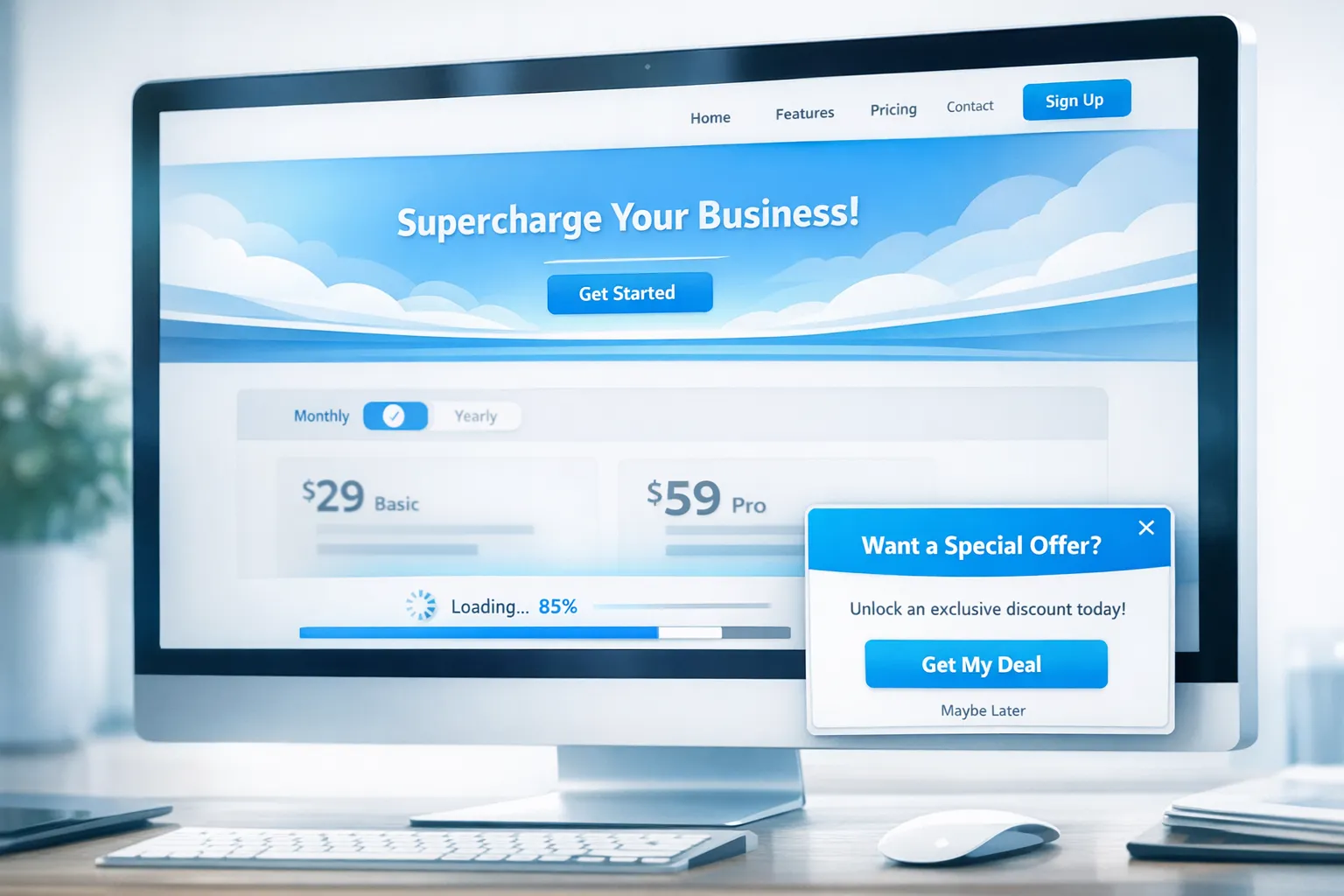
Popups get blamed for “slow websites” because they often arrive with the worst timing for performance: right in the middle of the critical rendering path, or right when the user is trying to interact.
The good news is you can keep a polished, on-brand popup (or feedback widget) without paying for it in Core Web Vitals, conversion rate, or user trust. The trick is to treat your popup like any other production feature: ship a lightweight baseline, load only what you need, and trigger it based on intent instead of raw page load.
What “popup load speed” actually means
When teams say “the popup made our site slow,” they’re usually feeling one of these issues:
- Slower initial render (hurts LCP): the popup script competes with your main page content.
- Sluggish interactions (hurts INP): the popup code runs heavy JavaScript right when users click, type, or scroll.
- Layout shift (hurts CLS): the popup injects fonts, banners, or DOM changes that move content unexpectedly.
Google’s Core Web Vitals are a practical lens here because they map directly to perceived speed and usability. If you need a refresher on the metrics and thresholds, Google’s overview is the canonical reference: Core Web Vitals on web.dev.
A popup can be “fast” in two separate ways:
- Fast to not interfere with your page load (most important).
- Fast to appear when it is supposed to appear (important, but secondary).
For most SaaS sites, the first goal matters more. A popup that shows 400 ms later but does not slow your Pricing page is almost always the better trade.
A simple performance budget for popups (that still looks good)
You do not need a fancy system to start. Pick a budget you will not exceed, then enforce it.
A practical budget for many SaaS marketing sites looks like:
- The widget should not be required for initial content render.
- The widget should not block the main thread during the first seconds of load.
- The widget should not introduce layout shift when it appears.
If you want something more measurable, define budgets that your team can verify in CI:
- No regression in Lighthouse scores for Performance.
- No regression in field data (RUM) for LCP, CLS, and INP on the pages where the popup runs.
How to measure popup impact (in a way that catches real issues)
Before optimizing, make sure you can detect the regression you are trying to fix.
Use two measurement modes
- Synthetic: Lighthouse / WebPageTest are great for repeatable checks and “what changed” diffs.
- Real user monitoring (RUM): catches device diversity and third-party variability (mobile Safari, low-end Android, slow networks).
If you do not have RUM yet, start by at least checking your field metrics in Chrome User Experience Report (CrUX) at the origin level, and add page-level tracking later.
Add one targeted measurement: “time to widget ready”
For popups, a single custom metric is very actionable:
- When the widget bootstrap loads
- When it becomes “ready” to show (event listeners attached, config available)
Even a basic performance.mark() around your widget initialization helps you compare strategies like “load on idle” vs “load immediately.”
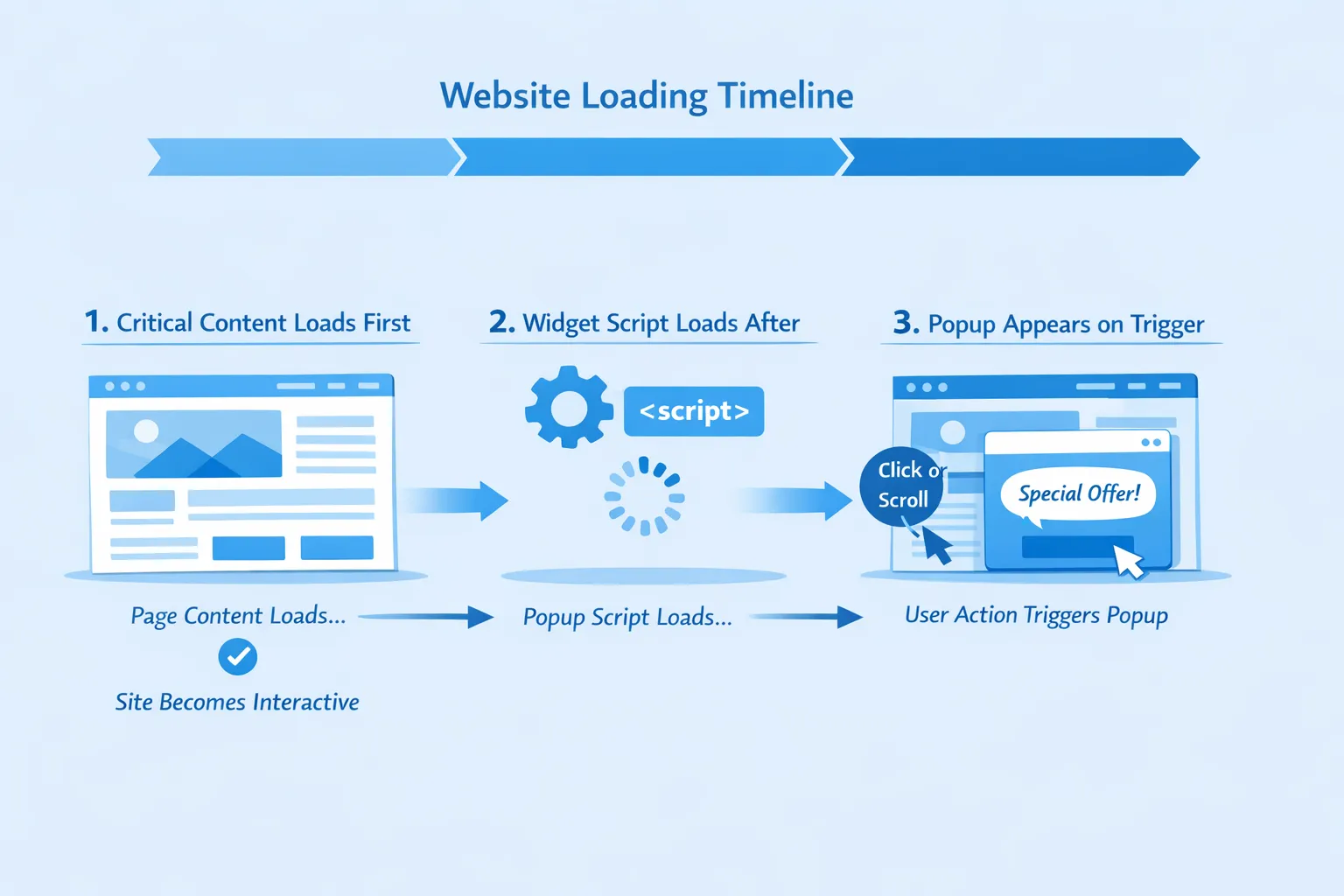
The highest-leverage tactic: delay loading until intent (not time)
Many popups load instantly because teams want the option to show them instantly. That is rarely necessary.
Instead, load the widget when you have a strong signal the user might engage:
- They scroll past 40 to 60 percent of the page.
- They spend 10 to 20 seconds on the page.
- They click “Pricing,” “Integrations,” or open a feature comparison.
- They move toward exit (careful with this, and always cap frequency).
This changes the performance equation: your popup is no longer competing with your hero section, navigation, and pricing table for CPU and bandwidth.
Practical example (SaaS Pricing page)
A common approach:
- Do not load the popup widget on initial render.
- Load it after the user scrolls to the first plan card.
- Trigger the popup only after they interact with plan toggles (monthly/yearly) or expand FAQ.
Result: you still catch high-intent users, but you avoid slowing down the page for everyone.
Load strategy matters more than micro-optimizing CSS
Below is a prioritized list of strategies that typically move the needle the most.
1) Make the widget non-blocking: defer (and avoid sync scripts)
If your widget is installed via a script tag, ensure it does not block HTML parsing.
- Prefer
deferfor scripts that rely on DOM. - Use
asynconly when the script is truly independent and does not require ordered execution.
This is basic, but it is still one of the most common causes of “popup slowed our site.”
2) Split “bootstrap” from “render”
A fast widget has a tiny bootstrap that does only what is necessary:
- Set up a small namespace
- Attach minimal listeners
- Fetch configuration when needed
Then it loads heavier assets only when it is actually going to render:
- Form definitions n- Styles (if not inheriting site styles)
- Media
If you are evaluating a website popup tool, ask specifically whether it ships a minimal loader or loads the full UI bundle immediately.
3) Use requestIdleCallback (carefully) for low-priority initialization
For non-critical work like prefetching popup content, requestIdleCallback can reduce contention with user interactions.
Two cautions:
- Always set a timeout fallback so it still loads on busy devices.
- Do not delay a mission-critical popup that must appear at a precise moment (for example, an in-app upgrade gate). In those cases, prefer “load early but render late.”
4) Preconnect only if you must
If your popup tool loads from a separate domain, a preconnect can reduce handshake latency, but it also competes for early connection slots.
Use it when:
- Your widget is likely to be used during that session.
- The widget is loaded after intent, and you want it to feel instant.
Avoid it when:
- Your site is already connection-heavy (ads, chat, analytics, A/B testing).
Keeping design quality without shipping heavy UI
“Design” does not have to mean “large bundle.” Most popup weight comes from convenience decisions: custom fonts, heavy animation libraries, giant images, and too many components.
Inherit your site styles (and avoid font duplication)
The fastest-looking popup is often the one that:
- Uses the same font stack as your site
- Uses your existing spacing and button styles
- Avoids loading an additional web font
If your marketing site already loads a font, make sure the popup does not trigger a second font load or a late font swap that shifts layout.
Prefer CSS transitions over JS animation libraries
A subtle fade + slide is usually enough. If you use advanced animation libraries, they can:
- Add significant JavaScript weight
- Increase main-thread work
- Cause jank on low-end devices
A high-quality popup interaction should still feel smooth at 60 fps on mid-range mobile.
Optimize images like you would for your homepage
Popups often ship “campaign creative” that bypasses normal performance review.
Guidelines that keep design intact:
- Use SVG for logos and simple illustrations.
- Compress raster images aggressively (WebP/AVIF when possible).
- Avoid autoplay video inside popups unless it is absolutely necessary.
Avoid layout shifts by reserving space inside the popup
CLS issues can come from the popup itself:
- Late-loading images without width/height
- Fonts swapping after render
- Dynamic form validation messages that push buttons around
Even though the popup overlays the page, users still experience visual instability.
A decision table: speed techniques and when to use them
| Technique | What it does | Best for | Watch-outs |
|---|---|---|---|
| Intent-based loading | Loads widget only after scroll/time/click signals | Marketing pages (Pricing, Features, Blog) | Must ensure you still capture key segments |
Non-blocking script (defer) | Prevents blocking HTML parsing | All sites | Verify ordering if multiple scripts interact |
| Bootstrap vs render split | Keeps initial payload tiny, loads UI only when needed | Any popup that is not always visible | Complexity moves into architecture |
| CSS-based animations | Reduces JS execution and jank | Most popups and slide-ins | Keep motion accessible (reduced motion) |
| Inherit site fonts/styles | Avoids duplicated CSS and font downloads | Brand-consistent SaaS sites | Ensure contrast and accessibility remain strong |
| Image compression and sizing | Reduces bandwidth and decode time | Promo popups, announcements | Always set dimensions to avoid shifts |
Do not “win performance” and lose conversions
A fast popup that converts poorly is still a loss.
Here’s how to keep both outcomes in balance.
Tie popup timing to user intent, not arbitrary delay
Instead of “show after 3 seconds,” use behavioral triggers:
- Docs: show feedback widget after the user scrolls 70 percent (they tried to self-serve).
- Changelog / updates: show “What’s new” after they click into release notes.
- In-app onboarding: show a microsurvey after they complete the first key action.
This usually improves conversion rates while reducing performance impact, because you render less often and later.
Frequency caps reduce both fatigue and wasted rendering
If you show the same popup repeatedly, you create:
- UX annoyance
- Unnecessary work for the browser
- Inflated “views” that hide true conversion performance
If you want a deeper playbook on this (UX + measurement + implementation patterns), Modalcast has a dedicated guide: Popup Frequency Capping That Protects UX.
The hidden performance killers (common in real SaaS stacks)
Popups rarely exist alone. They stack with analytics, A/B testing, personalization, chat, session replay, and tag managers.
If your site feels fast locally but slow in production, look for:
- Tag manager bloat: multiple tags injecting additional scripts.
- Duplicate libraries: two tools each shipping their own framework/runtime.
- Long tasks on interaction: heavy work on click or route change.
A practical rule: treat your popup as part of the “third-party budget.” If you are already near the edge, the right answer might be consolidating tools.
Quick audit checklist (15 minutes)
Use this when you add a new campaign or switch a website popup tool.
- Confirm the widget script is non-blocking (
deferor equivalent loading pattern). - Confirm the popup does not render anything on initial page load unless it truly must.
- Check the page for layout shift when the popup appears (especially fonts and images).
- Record Lighthouse before/after for your top pages (Home, Pricing, Signup).
- Test on a mid-range mobile device or throttled profile, not just a fast laptop.
- Verify dismiss behavior and frequency capping so users are not re-triggered endlessly.
Where Modalcast fits (if you want a lightweight approach)
If your goal is to collect feedback, share product updates, capture leads, or promote offers without adding a complex engagement stack, Modalcast is designed around a single, lightweight widget you install once and then use across use cases.
Two practical ways teams use that to protect speed:
- Keep your site clean by avoiding multiple overlapping popup vendors.
- Ship targeted, intent-based messages instead of loading heavy UI everywhere.
For implementation details, the most direct starting point is the installation guide: Step-by-step Instructions on Setting Up ModalCast.
If your focus is specifically “design that performs,” pair this article with: Feedback Widget Design Tips That Boost Responses.
Frequently Asked Questions
Do popups hurt SEO because they slow down the site? Popups can hurt organic performance indirectly if they degrade Core Web Vitals (LCP, CLS, INP) or create poor mobile UX. The fix is usually not “remove all popups,” it’s making them non-blocking, intent-triggered, and stable (no layout shift), then validating in field data.
What’s the best way to load a popup without impacting LCP? Do not require the popup for initial render. Load it after intent (scroll/click/time-on-page) or after the page becomes interactive, and ensure the script is non-blocking. This keeps your hero content and primary CTA prioritized.
How do I keep a popup on-brand without loading heavy fonts and CSS? Inherit your site’s existing fonts and design tokens where possible. Use a small set of reusable components (headline, short body, one primary CTA) and keep imagery optimized. Most “premium design” comes from spacing, contrast, and clarity, not large UI bundles.
Which Core Web Vital is most likely to regress because of popups? CLS (layout shift) and INP (interaction responsiveness) are common regressions when popups inject late-loading fonts/media or run heavy JavaScript on click. LCP can regress if the widget loads too early and competes with critical resources.
Should I load the popup tool on every page? Only if you need it everywhere. For many SaaS sites, it’s smarter to load on high-intent pages (Pricing, Signup, key docs) and keep low-intent pages (blog archive, minor landing pages) clean, or load only after intent.
Make your popups fast, then make them useful
If you want a lightweight way to run feedback, updates, lead capture, and promotions through one widget (without bolting on a complex stack), take a look at Modalcast. Install once, publish what you need, and iterate based on real engagement instead of guesswork.
