Discount Ladders That Convert Browsers
Most SaaS teams have tried the “10% off” popup. It works sometimes, but it also teaches visitors to wait for discounts, leaks margin to people who would have pa
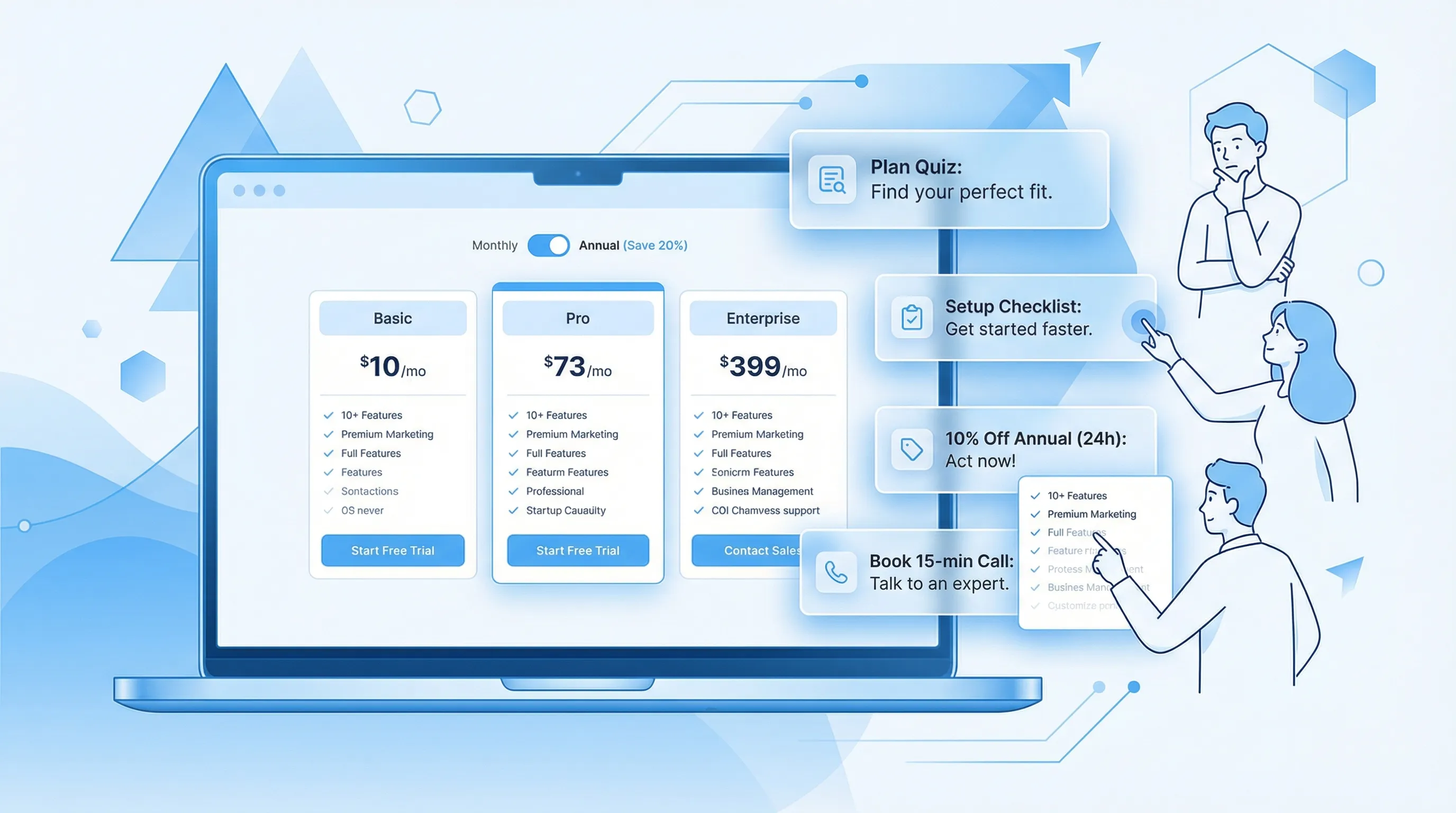
Most SaaS teams have tried the “10% off” popup. It works sometimes, but it also teaches visitors to wait for discounts, leaks margin to people who would have paid full price, and clutters your site with one-size-fits-all offers.
A discount ladder is the clean alternative: you start with low-cost value, then only escalate incentives when a visitor shows intent (or hits friction). Done right, discount ladders convert “just browsing” traffic without turning your pricing page into a coupon site.
What a discount ladder is (and why it converts)
A discount ladder is a sequence of offers that increase in value over time or behavior, with clear eligibility rules. Instead of showing the biggest incentive immediately, you “earn the right” to discount by waiting for signals like:
- A second pricing page visit
- Exit intent from checkout
- Choosing an annual plan but not completing payment
- A stalled trial (no activation event)
- Returning from a high-intent channel (G2, review sites, competitor comparisons)
This works for two reasons:
- Relevance beats generosity. Many visitors are uncertain, not price-sensitive. A help-first rung (calculator, plan quiz, onboarding help) can convert without discounting.
- Loss aversion and escalation are powerful. People react more strongly to avoiding a loss than gaining the same amount. A ladder lets you reserve urgency and discounts for the moment they actually matter (see the foundation of this idea in Prospect Theory).
A good ladder is not just “5%… then 10%… then 15%.” It’s a structured conversion path.
When discount ladders make sense for SaaS (and when they don’t)
Discount ladders are most useful when you have:
- High browsing volume on pricing pages and low demo/trial conversion
- Multiple price objections, meaning “too expensive” is often a proxy for “not sure I’ll get value”
- A clear activation event (so you can rescue stalled trials with targeted offers)
- Reasonable gross margins, so you can afford controlled incentives
They are a bad fit when:
- You already convert at very high rates and discounts would mostly cannibalize
- Your market is highly regulated or discounting changes procurement requirements
- Your brand depends on strict price integrity (some enterprise categories)
If you are unsure, start with a ladder that escalates value, not price.
The anatomy of a high-converting discount ladder
Think of your ladder as five design decisions.
1) Define the conversion you’re optimizing for
Be specific. “More conversions” is not a strategy.
Examples:
- Trial started (lead gen)
- Activated trial (product adoption)
- First payment (revenue)
- Annual upgrade (cash flow)
- Reactivation (retention)
Each goal implies different rungs and timing.
2) Build rungs that increase value (not just discount depth)
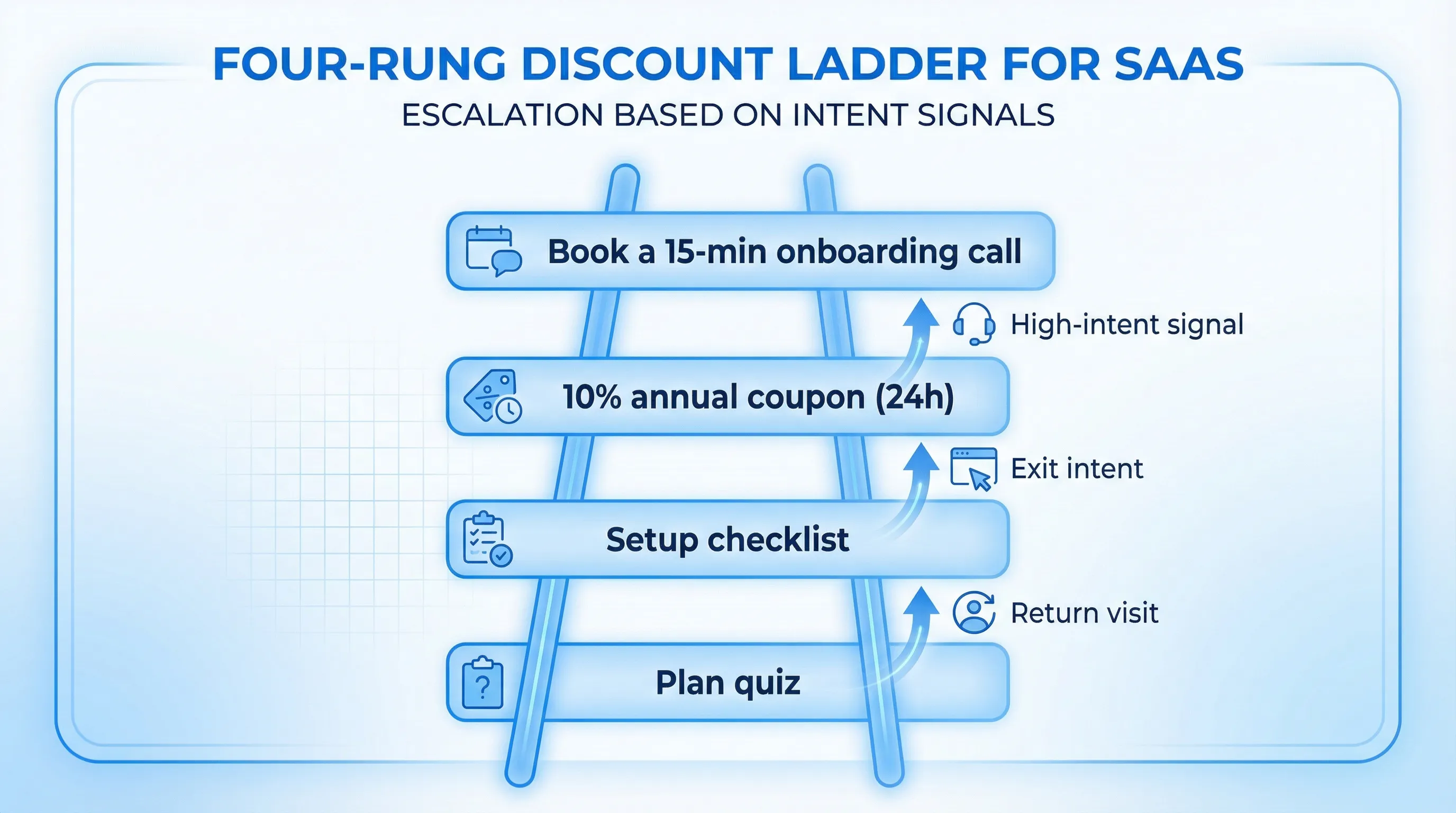
A practical starting point is:
- Rung 1 (no discount): reduce uncertainty
- Rung 2 (light incentive): small nudge, low margin impact
- Rung 3 (real discount): only after intent is proven
- Rung 4 (high-touch alternative): human help, custom plan, or bundle
Here are SaaS-friendly rung types that often outperform bigger coupons:
- A plan recommendation quiz (2 to 3 questions)
- A “switching cost reducer” (migration checklist, import template)
- A time-boxed annual incentive (only for return visits or checkout abandon)
- Bonus value instead of price cuts (credits, extra seats for 60 days)
If you do use urgency, keep it honest and verifiable. Modalcast has a deep dive on the psychology and guardrails of urgency in Time-Limited Coupons: Psychology That Drives Action.
3) Choose triggers that match intent
Discount ladders fall apart when the trigger is “10 seconds on site.” Use intent-based triggers such as:
- Page context: pricing, integrations, security, migration, comparison pages
- Engagement: scroll depth, multiple visits, returning within 7 days
- Friction signals: repeated clicks between plans, hovering over “cancel,” abandoning checkout
- Lifecycle signals: trial day 3 with no activation, trial day 6 with high usage
This is exactly where a lightweight on-site widget helps, because you can run different messages, forms, and coupon posts from the same surface area.
4) Add guardrails (to protect UX, SEO, and margin)
A ladder should have explicit rules for:
- Frequency capping: how often any visitor can see an offer
- Exclusions: existing customers, logged-in users, help center pages, blog traffic
- Stop conditions: once redeemed, once converted, once dismissed twice
- Mobile UX: smaller formats, less intrusive triggers
If you need a practical starting point for caps, Modalcast’s guide on Popup Frequency Capping That Protects UX is a useful reference.
5) Measure incremental lift, not just redemptions
“Coupon redemptions” is not the goal. The goal is incremental conversions you would not have gotten anyway.
At minimum, track:
- Offer view rate
- Click-through rate
- Completion rate (if there’s a form)
- Conversion rate to your target event
- Discount cost (revenue given up)
If you can, run a holdout test: show the ladder to only a percentage of eligible visitors and compare outcomes.
A simple profitability check:
- Incremental revenue = (Conversions with ladder − Conversions without ladder) × ARPA
- Discount cost = Discount amount × Discounted conversions
- Net impact = Incremental revenue − Discount cost
4 discount ladder templates that work in real SaaS funnels
Below are practical ladders you can adapt. The copy is intentionally plain. You can make it prettier later.
Template A: Pricing-page browser to trial (help-first ladder)
Use case: lots of pricing traffic, low trial starts, unclear plan fit.
| Rung | Trigger | Offer | Why it works |
|---|---|---|---|
| 1 | 60% scroll on pricing | “Not sure which plan fits? Answer 2 questions.” | Converts uncertainty without discounting |
| 2 | Returning pricing visit within 7 days | “Get the setup checklist for your use case (PDF/email)” | Captures lead, gives value |
| 3 | Exit intent on pricing (return visitor only) | “Take 10% off annual for 24 hours” | Discount only after intent is proven |
| 4 | Clicked “Contact sales” but didn’t submit | “Want a quick recommendation? Book 15 min.” | High-touch alternative instead of deeper discount |
Implementation tip: rungs 1 and 2 can be a short form (or microsurvey) and an email capture. Rung 3 is your coupon code.
Template B: Trial rescue ladder (activation-first)
Use case: trial signups are fine, activation is weak.
| Rung | Trigger | Offer | Why it works |
|---|---|---|---|
| 1 | Day 1, no activation event | “What are you trying to do? (pick one)” | Routes users to the right path |
| 2 | Day 3, still no activation | “Want a guided setup? Get the 5-minute checklist.” | Reduces cognitive load |
| 3 | Day 5, partial activation | “Need 3 more days? Extend trial after 1 question.” | Earned extension, not automatic |
| 4 | Day 6, high intent pages visited | “Upgrade today: 2 months free on annual” | Targets likely buyers, preserves margin |
Note: Many teams jump straight to “extend trial for everyone.” The ladder approach makes the extension conditional on engagement, which improves quality.
Template C: Annual upgrade ladder (value framing, then incentive)
Use case: monthly conversions happen, annual is under-penetrated.
Recommended sequence:
- Rung 1: Annual savings calculator (shows break-even month)
- Rung 2: Bonus value (extra seats, premium support window, onboarding)
- Rung 3: Small annual discount with a short window
This avoids the trap of training your best customers to demand the biggest discount to go annual.
Template D: Content reader to qualified lead (no coupon needed)
Use case: content brings traffic, but demo requests are low.
A ladder here can be purely lead gen:
- Rung 1: “Was this page helpful?” (1-click poll)
- Rung 2: If “No,” ask what’s missing (short feedback form)
- Rung 3: Offer a relevant template (email capture)
- Rung 4: If they visit pricing after downloading, show a personalized nudge
This ladder converts browsers by sequencing micro-commitments. Modalcast covers the underlying idea well in Lead Capture That Doesn’t Feel Pushy.
Copy patterns that keep discount ladders from feeling spammy
Most ladders fail because the copy is generic, not because the offer is wrong.
Lead with the job, not the discount
Instead of:
- “Get 10% off now!”
Try:
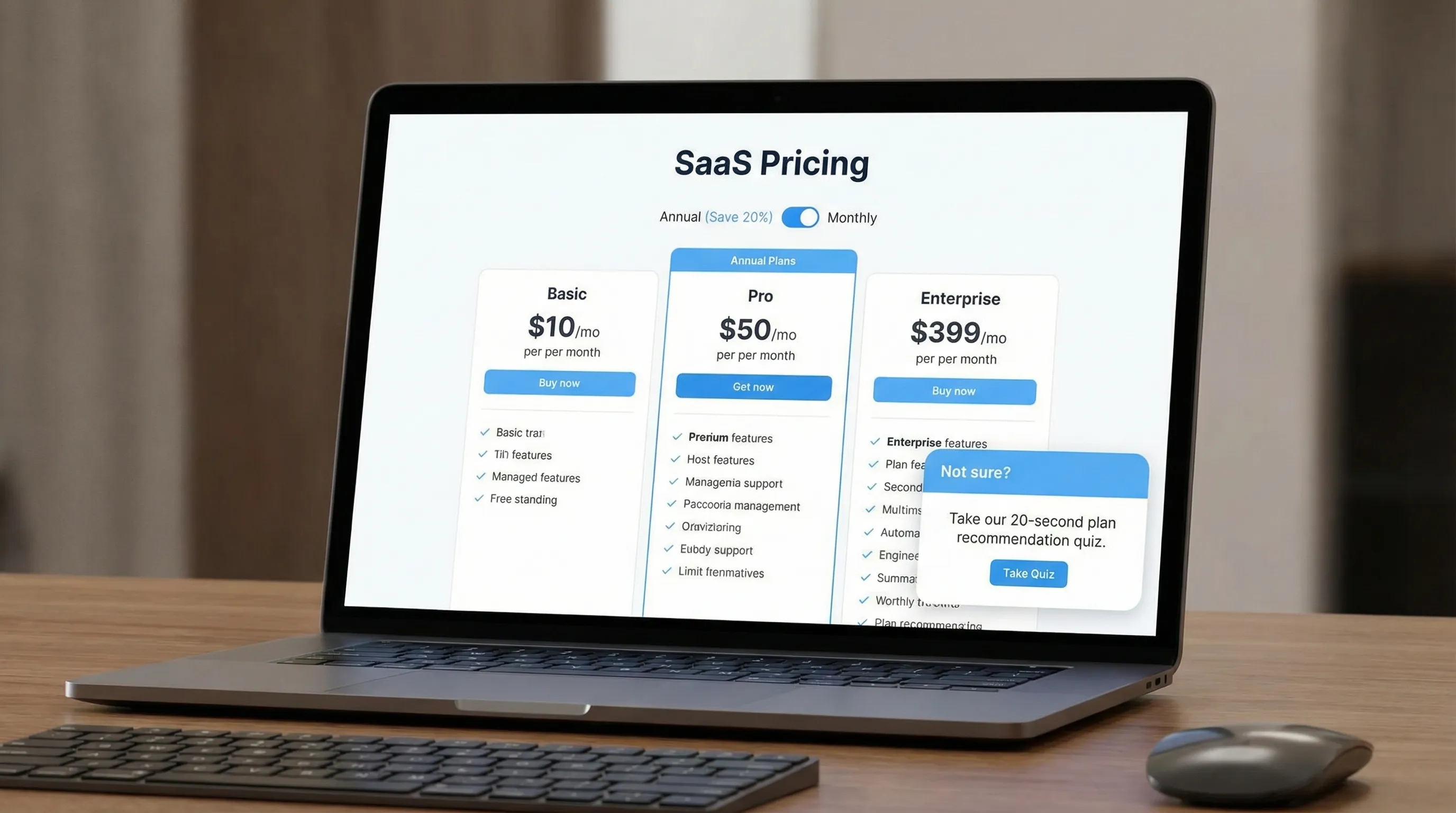
- “Trying to decide between Basic and Pro? I can recommend a plan in 20 seconds.”
Make eligibility explicit (so it feels fair)
- “Welcome back. Want the annual plan discount we reserve for returning visitors?”
Keep the CTA aligned to the rung
- Quiz rung: “Get recommendation”
- Checklist rung: “Send me the checklist”
- Coupon rung: “Reveal code”
Avoid “Submit” everywhere.
Use “bonus value” language when you can
Discounts are expensive. Bonus value often converts similarly:
- “Upgrade to annual and we’ll add 2 bonus months.”
- “Upgrade today and we’ll include onboarding.”
Guardrails: how to avoid training customers to wait for discounts
If you take only one thing from this post, take this: make your ladder conditional.
Practical guardrails:
- Don’t show the discount rung on the first pricing view.
- Don’t show discount rungs to logged-in customers unless it’s a true winback flow.
- Prefer value rungs (quiz, checklist, support) before discount rungs.
- Set a global exposure budget (example: max 1 offer per session, max 2 per week).
Also, make sure your site performance stays healthy. Heavy popup scripts can harm UX and Core Web Vitals. If performance is a concern, Modalcast’s Popup Load Speed Without Sacrificing Design is a solid checklist.
How to implement a discount ladder with an on-site widget (simple workflow)
You can implement discount ladders with most website popup tools, but the workflow matters more than the tool.
A practical build sequence:
Start with one page and one audience
Pick one:
- Pricing page return visitors
- Trial users stalled at day 3
- Checkout abandoners
Ship rungs as separate “posts” you can iterate
In Modalcast, teams typically do this with a mix of:
- On-site messages and popups
- Coupon code posts
- Short forms or microsurveys
(If you haven’t installed the widget yet, their setup guide is the fastest path.)
Add a feedback question to your ladder
A high-performing ladder often includes at least one diagnostic question, for example:
- “What stopped you from starting a trial today?”
- “Which plan are you leaning toward?”
This turns the ladder into a learning loop, not just a discount mechanism. If you want deeper guidance on collecting feedback without hurting conversion, see Collect Feedback Without Killing Conversions.
Review weekly and prune aggressively
Most ladders improve when you remove rungs, not add them. A good weekly review asks:
- Which rung gets engagement but no downstream conversion?
- Which rung converts, but at too high a discount cost?
- Which rung is shown too often (annoying) or too rarely (irrelevant)?
Frequently Asked Questions
What is a discount ladder? A discount ladder is a sequence of escalating offers, often starting with help or bonus value and only later offering a discount, triggered by intent signals like return visits or exit intent.
Do discount ladders work for B2B SaaS, or only ecommerce? They work well for B2B SaaS because many “price objections” are really uncertainty. Ladders let you resolve uncertainty first, then use discounts only for proven-intent visitors.
How many rungs should a discount ladder have? Usually 3 to 4. More than that often increases complexity without improving conversion, and it risks annoying visitors.
Should my ladder always end with a coupon? Not necessarily. Many ladders end with a high-touch option (book a call, get help migrating) or a bonus-value incentive instead of a price cut.
How do I know if my ladder is cannibalizing revenue? Run a holdout test (a percentage of eligible visitors do not see the ladder) and compare net revenue, not just conversion rate. Track discount cost against incremental conversions.
Build a discount ladder without adding on-site complexity
If you want to ship discount ladders quickly, the main requirement is a lightweight way to publish targeted on-site messages, forms, and coupon posts, then iterate based on results.
Modalcast is built for exactly that: a single engagement and feedback widget you can use to collect input, capture leads, and run on-site offers without turning your site into a maze of scripts.
Explore Modalcast at modalcast.com or start with the conversion playbook in Driving Conversions with ModalCast.
