Quiz Funnels vs Surveys: When to Use Each
Choosing between a quiz funnel and a survey is less about “which converts better” and more about what decision you need to make next.
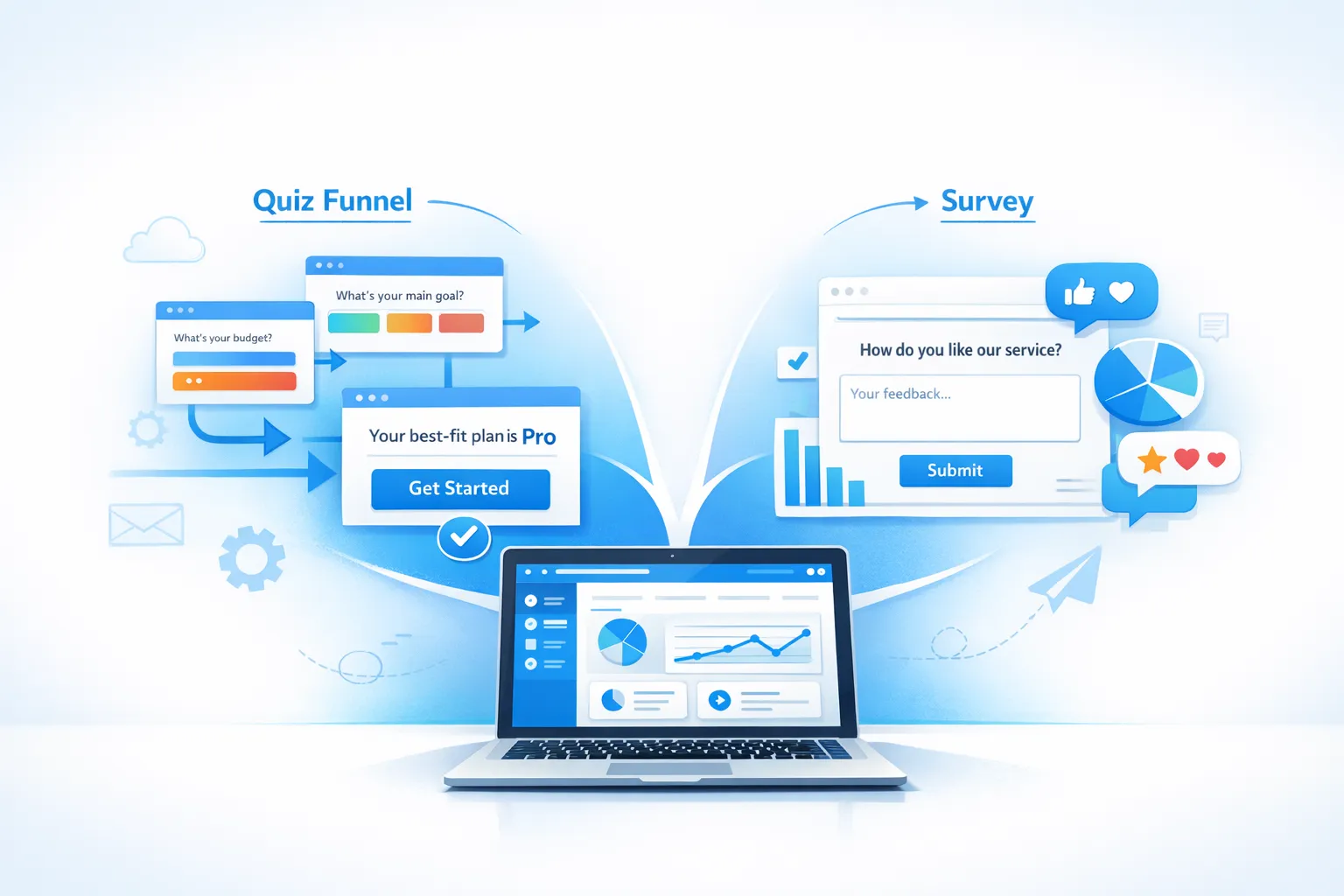
Choosing between a quiz funnel and a survey is less about “which converts better” and more about what decision you need to make next.
- If you need to route someone to the right offer, plan, template, or onboarding path, use a quiz funnel.
- If you need to measure sentiment, diagnose friction, or validate a hypothesis, use a survey.
For SaaS teams, both can live on the same site and even inside the same widget. The key is matching the format to intent so you collect better data without creating popup fatigue.
What a quiz funnel is (and what it is not)
A quiz funnel is an interactive flow that helps a visitor self-identify, usually by answering 2 to 6 short questions, and then receives a personalized outcome.
In SaaS, the outcome is typically one of these:
- A recommended plan (Starter vs Pro)
- A recommended use case path (Sales, Support, Ops)
- A recommended integration or setup checklist
- A lead magnet that matches their profile (template, playbook, benchmark)
- A tailored CTA (book a demo vs start trial)
A quiz funnel is not a “survey with extra steps.” The intent is segmentation and action first, research second.
When quiz funnels perform best in SaaS
Quiz funnels work when:
- Visitors are unsure what “fits” them yet
- Your product has multiple use cases or audiences
- The buying motion depends on context (team size, stack, process maturity)
- You can deliver a meaningful next step immediately
A common example is a B2B SaaS pricing page where users ask: “Do I need Pro?” A quiz can answer that faster than a long comparison table.
What a survey is (and what it is not)
A survey collects feedback to help your team understand experiences, preferences, and problems. In SaaS, surveys are usually:
- Microsurveys (1 to 2 questions) triggered contextually
- Lifecycle surveys (onboarding, trial, churn)
- Relationship surveys (NPS, periodic sentiment)
Surveys are not primarily for routing visitors. Their job is to produce a reliable signal you can analyze.
When surveys perform best in SaaS
Surveys work when:
- You need to quantify a problem (activation friction, satisfaction)
- You want verbatims to understand “why” behind behavior
- You are validating a product or messaging hypothesis
- You want to prioritize roadmap work based on patterns
If you want to improve response rates, Nielsen Norman Group’s guidance on keeping surveys short and context-driven is a good baseline reference: NN/g on surveys.
Quiz funnels vs surveys: the practical differences
Here is the simplest way to think about it:
- Quiz funnel = “Help me choose”
- Survey = “Help us understand”
| Dimension | Quiz funnels | Surveys |
|---|---|---|
| Primary goal | Segment and route to the right next step | Measure sentiment, friction, or preferences |
| Best output | Recommendation + CTA | Insight + prioritization |
| Data type | Self-reported attributes, intent signals | Ratings, sentiment, verbatims, reasons |
| Best timing | Pre-signup, pricing, onboarding start, feature discovery | Post-action, after milestones, churn, periodic check-ins |
| Ideal length | 2 to 6 questions (short, outcome-driven) | 1 to 5 questions (short, research-driven) |
| Success metric | Outcome click-through, lead quality, signup rate lift | Response rate, score movement, theme frequency |
| Common failure mode | “Buzzfeed quiz” energy with no real value | Survey fatigue, too many questions, no follow-up |
A decision framework: which should you use?
Use this quick decision tree.
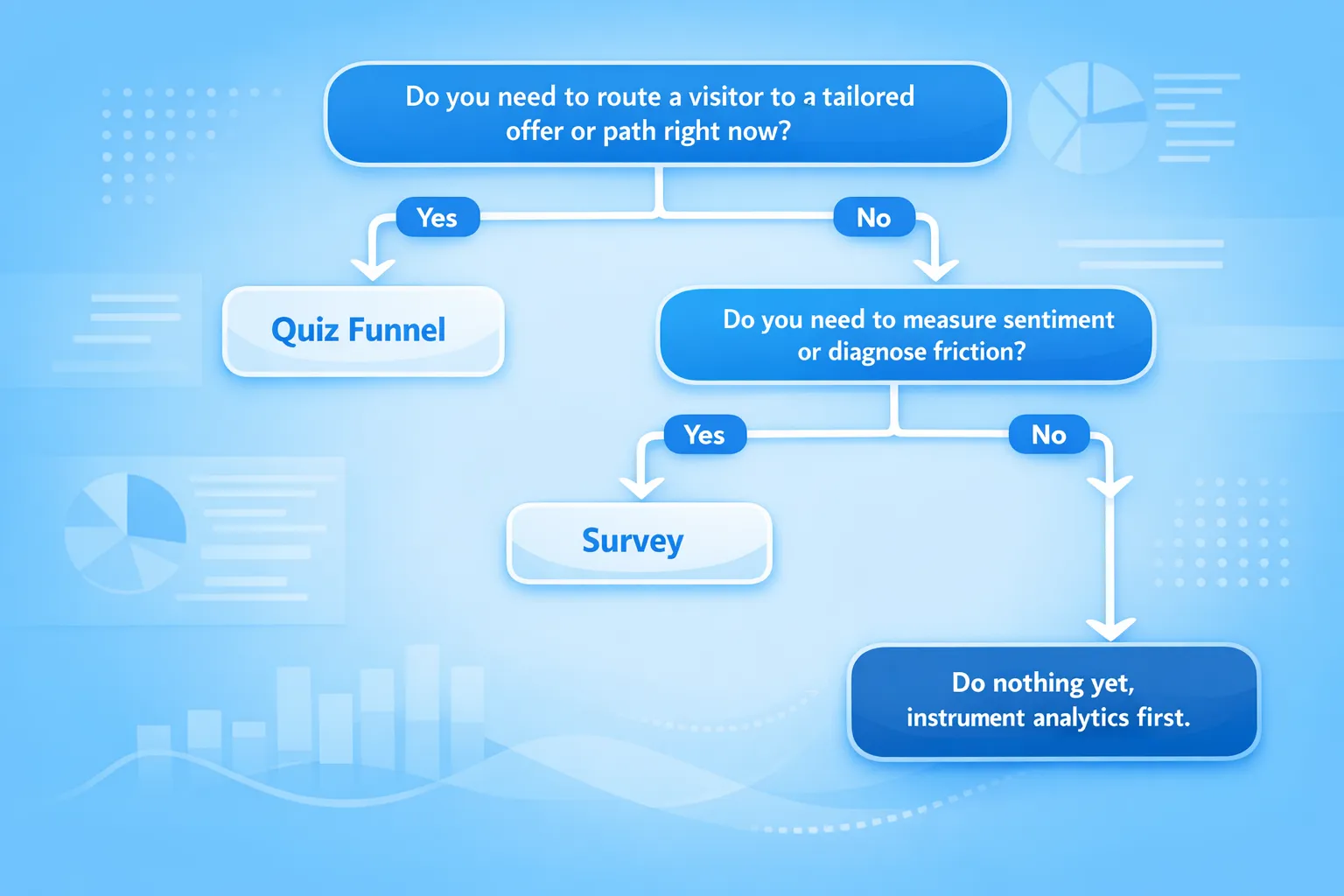
Choose a quiz funnel when you need any of these
You need segmentation that changes the next step. Examples:
- “Which template should I start with?”
- “Which plan is right for my team?”
- “Should you book a demo or start a trial?”
You want to turn anonymous traffic into qualified leads without a generic “Subscribe” form.
You need intent signals (role, company size, goal, urgency) to personalize follow-ups.
Choose a survey when you need any of these
You need a measurable baseline. Examples:
- “How easy was setup?”
- “Did this page answer your question?”
- “What stopped you from upgrading today?”
You are debugging a funnel step. Surveys pair well with analytics because they explain “why” behind drop-offs.
You plan to act on the results. If you are not resourced to review and respond, keep it to a single microsurvey or don’t run it.
Real-world SaaS use cases (with examples you can copy)
Below are practical situations where teams choose one format over the other.
Use case 1: Pricing page optimization
If your issue is confusion, use a quiz funnel.
Example quiz:
- Q1: “What are you trying to do?” (options aligned to your top use cases)
- Q2: “How big is your team?”
- Outcome: recommended plan + a short justification + CTA
Why this works: pricing objections are often “fit” problems, not “trust” problems.
If your issue is objection discovery, use a survey.
Example microsurvey:
- “What’s stopping you from starting a trial today?”
- Optional: “Tell us what you were hoping to see.”
Why this works: it produces verbatims you can map to messaging fixes (missing integrations, unclear limits, lack of security info).
Use case 2: Trial onboarding and activation
Quiz funnel: route users to the right setup path.
Example:
- “What outcome do you want in your first week?”
- “What tool are you migrating from?”
- Outcome: link to the most relevant onboarding checklist or docs section
This reduces “blank page” onboarding where users don’t know what to do first.
Survey: diagnose activation friction.
Example trigger after a key milestone (or after 10 minutes in-app):
- “Were you able to complete setup?” (Yes/No)
- If No: “What blocked you?”
This is especially effective when you place it right after a known drop-off step.
Use case 3: Content and docs performance
Quiz funnel: help users find the right resource.
Example:
- “What are you trying to implement?” (SSO, webhooks, billing)
- Outcome: recommended docs page + quick tip
Survey: measure docs usefulness.
Example:
- “Did this article answer your question?” (Yes/No)
- Optional: “What was missing?”
This is one of the cleanest places to use a survey because intent is high and users are already in “problem solving” mode.
Use case 4: Lead generation that stays qualified
Quiz funnel: qualify before the email capture.
A practical pattern is:
- Ask 1 to 2 segmentation questions first
- Then ask for email to “send your results”
This tends to outperform generic newsletter capture when the outcome is actually useful.
Survey: capture “why us” and “why now” from new signups.
Example after signup:
- “What’s the main reason you chose us?”
This data is gold for positioning and sales enablement, but it’s not a routing problem, it’s an insight problem.
How to implement both with a lightweight widget (without annoying users)
Whether you run a quiz funnel or a survey, the delivery mechanism matters. For SaaS sites, a lightweight on-site widget works well because it can be triggered contextually and kept short.
ModalCast is positioned for exactly this kind of use: a single widget to collect feedback, capture leads, and share updates without building a complex system.
If you’re new to the basics, these guides are useful starting points:
- What a feedback widget is (and why it matters)
- How to set up microsurveys in your website or app
- Popup frequency capping that protects UX
Implementation principles that matter more than the tool
1) Match interruption level to intent
- High intent pages (pricing, checkout, upgrade) can support a small prompt
- Low intent pages (blog posts) usually need softer entry points (tab, subtle slide-in)
If you want deeper placement guidance, see: website feedback widget placement best practices.
2) Keep it “one job per interaction”
A common mistake is combining goals:
- A quiz that tries to be a survey
- A survey that tries to sell
Instead:
- Quiz = help them choose, then CTA
- Survey = ask, thank them, close
3) Use frequency caps and cooldowns
Even a great prompt becomes bad UX when it repeats. Set caps per campaign and add cooldown windows so returning users don’t see the same prompt constantly.
What to measure (so you know if it’s working)
You should measure quiz funnels and surveys differently.
Quiz funnel metrics
A quiz funnel is a conversion tool, so focus on downstream outcomes:
- Start rate (views to first answer)
- Completion rate
- Outcome click-through rate
- Lead capture rate (if used)
- Downstream conversion lift (trial, demo, purchase)
The most important metric is often: Did the recommended outcome increase the right conversions? Not just “did people finish the quiz?”
Survey metrics
A survey is a research tool, so focus on signal quality:
- Response rate (by page, segment, trigger)
- Score distribution (if you use CSAT style questions)
- Theme frequency in verbatims
- Time to close the loop (how quickly feedback leads to a change)
If you use satisfaction scoring, ModalCast has a dedicated explainer you can reference: enhancing customer satisfaction with CSAT surveys.
Common pitfalls (and how to avoid them)
Pitfall 1: Asking too many questions
Long flows underperform in both formats.
Fix:
- Quiz: cap at 2 to 4 questions unless the outcome is high value
- Survey: default to a 1-question microsurvey plus optional comment
Pitfall 2: Running them at the wrong moment
If you ask before the user has enough context, you get noise.
Fix:
- Surveys should be tied to moments (after onboarding step, after using a feature, after an error)
- Quiz funnels should appear when the visitor is deciding (pricing, comparison, onboarding start)
Pitfall 3: No clear benefit for the user
Especially for quiz funnels, the value exchange must be obvious.
Fix:
- Outcome headline should be concrete: “Your best-fit plan is Pro”
- Outcome should include a next action: “Start with this setup checklist”
Pitfall 4: Collecting feedback but not responding
Users will notice.
Fix:
- Set ownership: who reviews responses, how often
- Create a lightweight “close the loop” habit, even if it’s just updating help content or clarifying a pricing section
If you want a practical approach to collecting feedback without disrupting conversion, this is relevant: collect feedback without killing conversions.
A simple rollout plan for SaaS teams
If you want a low-risk way to test both formats, do this:
Week 1: Start with one survey
Pick a single funnel step with high leverage, like pricing or onboarding.
- Ask one question
- Add an optional comment
- Review responses twice that week
Goal: find 2 to 3 actionable themes.
Week 2: Add one quiz funnel where choice is the bottleneck
Pick one place where visitors hesitate because they don’t know what fits.
- 2 to 3 questions
- One clear outcome
- One CTA
Goal: increase outcome click-through and measure downstream conversion impact.
Week 3: Combine insights
Use survey themes to improve the quiz outcomes and page copy. Use quiz segmentation to decide which survey question to ask (for example, pricing objections differ by team size).
Frequently Asked Questions
Are quiz funnels just surveys with prettier UX? Not really. A quiz funnel is designed to produce a personalized recommendation and move the user forward. A survey is designed to produce an insight for your team. They can look similar, but they succeed on different metrics.
Can I use both on the same page (like pricing)? Yes, but don’t show them at the same time. Use frequency caps and choose one primary interaction per visit. A common approach is: quiz for new visitors, microsurvey for returning visitors.
What’s the ideal number of questions for a SaaS quiz funnel? Usually 2 to 4. If you need more, the outcome needs to be valuable enough to justify the time (for example, a tailored onboarding plan or a personalized report).
What’s the best survey question to start with on a SaaS website? “What’s stopping you from getting started today?” on pricing pages is a strong default because it produces direct, actionable objections.
How do I avoid survey fatigue with popups? Use intent-based triggers, keep surveys short, and apply frequency caps and cooldowns. Also rotate prompts so repeat visitors don’t see the same request repeatedly.
Turn quizzes and surveys into action, with one lightweight widget
If you want to run quiz-style segmentation prompts and targeted microsurveys without adding a heavy platform, ModalCast is built for this workflow. You can use a single on-site widget to collect feedback, capture leads, and share updates, then iterate based on what real visitors tell you.
Explore ModalCast at ModalCast and, if you want implementation details, start with the step-by-step setup guide.
