Changelog SEO: Turn Updates Into Traffic
Most SaaS teams treat a changelog as a support artifact: a place to prove you shipped. Search engines can treat it differently, as a steady stream of indexable
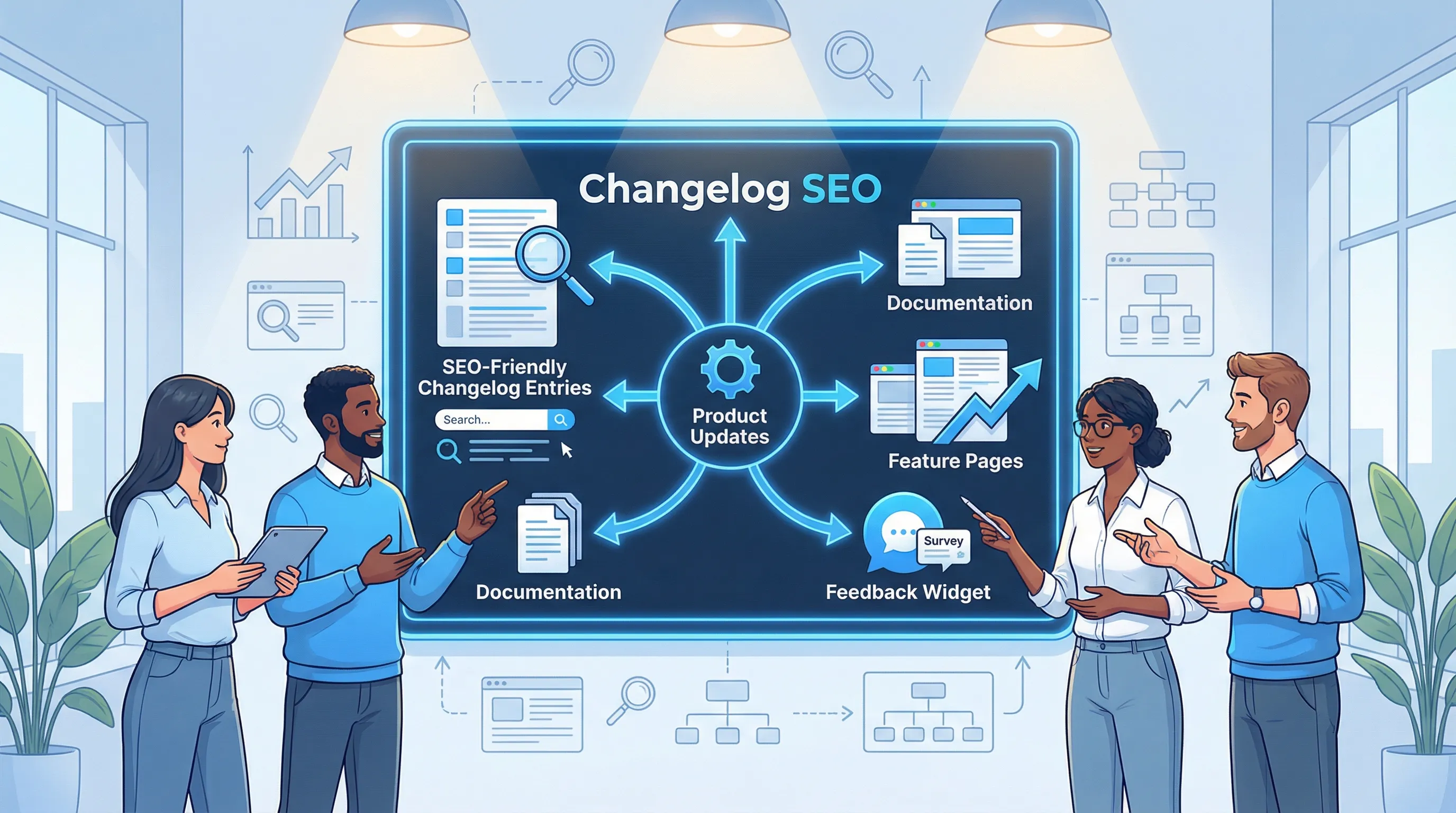
Most SaaS teams treat a changelog as a support artifact: a place to prove you shipped. Search engines can treat it differently, as a steady stream of indexable pages that answer high-intent queries like “Does tool have SSO?”, “How do I export data?”, or “New pricing page builder feature”.
That is the core idea behind changelog SEO: turn each product update into a page that can rank, earn internal links, and convert the right visitors (new prospects, returning evaluators, and existing users looking for “what changed?”).
What changelog SEO is (and what it is not)
Changelog SEO is not “stuff keywords into release notes.” It is a system for publishing updates that:
- Are crawlable and indexable
- Match real search intent (feature, integration, workflow, compliance)
- Point people to the next step (docs, onboarding, demo, feedback)
- Avoid duplicate content across blog, docs, and in-app announcements
In practice, the best changelogs behave like a hybrid of documentation and blog posts: short, scannable, but specific enough to be useful.
Why product updates can earn search traffic
Product updates naturally contain the same language people type into Google when they are evaluating software:
- Feature names and categories (SSO, roles, webhooks, audit log)
- Integrations (Slack, HubSpot, Shopify, Zapier)
- Jobs-to-be-done queries (“bulk edit invoices”, “export to CSV”, “create approval workflow”)
- Risk and compliance terms (“SOC 2”, “GDPR”, “data residency”)
A changelog also has two structural advantages:
- Freshness without fluff: you publish regularly, but each page is about something concrete.
- Built-in internal linking opportunities: every feature you ship should connect to docs, templates, pricing, or comparison pages.
The “update type” to “keyword type” mapping
Not every release note deserves its own SEO target. This table helps you decide what each update can realistically rank for.
| Update type | What people search | What to include so it ranks | When to keep it out of index |
|---|---|---|---|
| New feature | “How to…”, “does X support Y”, “feature software” | Problem solved, who it’s for, how to use, links to docs | If it is a tiny UI tweak with no standalone value |
| Integration | “X integration”, “connect X to Y” | Setup steps, permissions, use cases, limits | If you do not have stable integration docs yet |
| Compliance/security | “SOC 2”, “SAML SSO”, “audit logs” | Clear scope, plans/availability, technical details, link to security page | If details are confidential or not finalized |
| Performance/reliability | “faster”, “load time”, “rate limits” | Benchmarks only if you can substantiate, what changed, who benefits | If you cannot explain impact without vague claims |
| Fixes | “bug”, “issue”, “error” (usually branded) | Affected area, symptom, resolution, workaround | If it reveals sensitive vulnerability details |
Build a changelog that Google can crawl (and humans can skim)
A surprising number of changelogs fail at the basics: heavy client-side rendering, thin pages, duplicate titles, or archives that are impossible to browse.
Use a stable URL structure
Pick a structure you can keep for years:
/changelog/as the hub- One URL per entry, with a descriptive slug:
/changelog/slack-notifications-for-alerts/
Avoid relying on only version numbers in URLs (for example, /changelog/1-9-3/) unless your audience truly searches by version.
Make each entry “complete” on-page
Even if you also announce updates in-app or by email, the changelog entry should stand on its own. At minimum:
- A descriptive page title (not just “Update”) and a single, clear H1
- A short summary at the top that explains value in plain language
- A “How to use it” section with links to docs
- A note about availability (plans, rollout status) if relevant
Keep the HTML render simple
If your changelog loads only after JavaScript executes, you are making indexing harder than it needs to be. A good default is server-rendered HTML with lightweight enhancements.
If you are worried about popups and performance, this is worth aligning with your on-site engagement approach too. Modalcast has a practical guide on keeping widgets fast in Popup load speed without sacrificing design.
Treat the changelog hub like a category page
Your /changelog/ page should not be just an infinite feed. It should help discovery:
- Filter by category (Feature, Integration, Security)
- Highlight “major” posts
- Link to related resources (docs, roadmap, onboarding)
If you use pagination, keep it consistent and make sure page 2, 3, etc. are discoverable via links.
A release note template that tends to rank
Most changelog entries are too short to earn long-tail traffic, or too vague to satisfy intent. A reliable middle ground is: “what changed, why it matters, how to use it, what to do next.”
| Section | Purpose | Example prompt |
|---|---|---|
| Summary (2 to 3 lines) | Matches search intent fast | “You can now export invoices to CSV from the billing page.” |
| The problem | Gives context without storytelling bloat | “Finance teams needed offline review and reconciliation.” |
| What’s new (bullets are fine) | Makes the change scannable | “New Export button, new filters, background job for large exports.” |
| How to use it | Converts “interesting” into “adopted” | “Go to Billing → Invoices → Export. Admin role required.” |
| Limits / edge cases | Reduces support tickets | “Exports are capped at 200k rows per file.” |
| Links | Strengthens internal linking | “Docs, help article, API reference, migration guide.” |
| Feedback prompt | Turns readers into signals | “Did this solve your workflow? Tell us what’s missing.” |
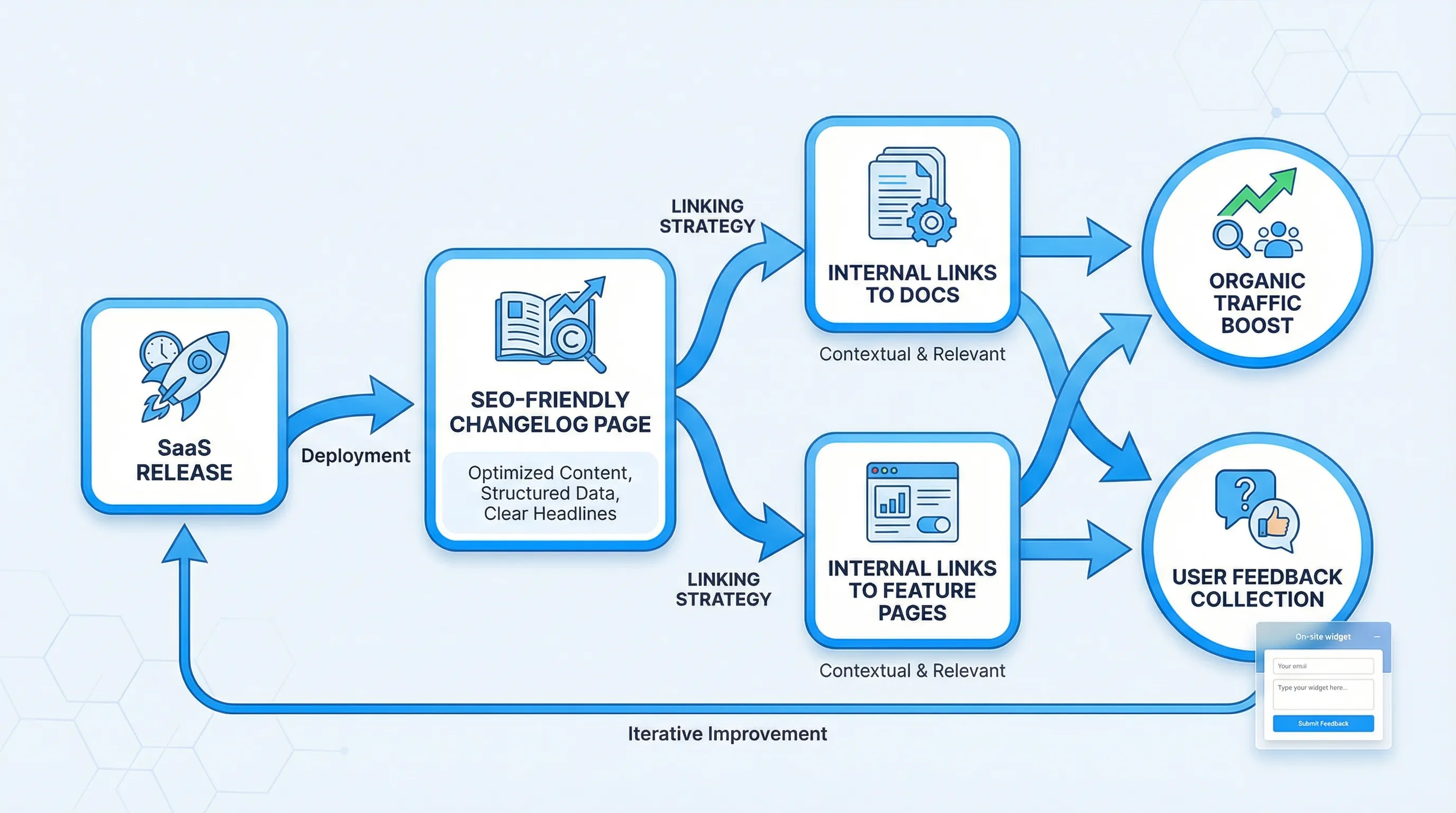
That last row is where changelog SEO becomes a compounding loop: your update page ranks, the right people land on it, and you collect feedback that shapes the next iteration.
If you need a lightweight way to add that loop, a feedback widget can be as simple as a single prompt tied to the entry. Modalcast covers the basics in What is a Feedback Widget and Why You Need One? and goes deeper on conversion-safe deployment in Collect feedback without killing conversions.
Write updates like “mini landing pages” (without marketing fluff)
If you want updates to bring traffic, write for the person trying to accomplish a task, not for the person celebrating that you shipped.
Practical examples of “SEO-forward” changelog titles
These tend to map to real queries better than “Release 2.4.0”:
- “SAML SSO for Enterprise accounts”
- “Export invoices to CSV (with filters)”
- “HubSpot integration: sync contacts and lifecycle stage”
- “Audit log improvements: actor, IP address, and export”
What to add when the update is small
Not every change is “big feature SEO.” For smaller improvements, bundle them into a monthly post that can rank on a broader theme:
- “February UX improvements to onboarding and setup”
- “Quality of life updates for admins”
You can still make these useful by grouping by persona (admin, analyst, developer) and linking to the exact UI areas affected.
Avoid the two most common anti-patterns
- Internal-only language: “We refactored the pipeline.” Users search for outcomes, not implementation.
- Missing next step: if someone lands from search, what should they do now? Read docs, try the feature, or contact support?
Use internal links to turn release notes into a discovery engine
Internal linking is where changelog SEO often wins, because it is fully under your control.
A few high-leverage links to include in most entries:
- Link the feature name to the canonical docs page
- Link the problem area to a use case page (if you have one)
- Link integration updates to the integration directory
- Link security/compliance updates to your security page
- Link onboarding-related updates to your “getting started” guide
Also link the other direction: from docs and key pages back to changelog entries that explain “what changed.” This helps existing users, and it gives Google more pathways to crawl your update content.
Prevent duplicate content across changelog, blog, docs, and in-app
SaaS teams often publish the same announcement in four places. That is fine for distribution, but not great for SEO unless you define one canonical source.
A simple approach:
- Use the changelog entry as the canonical “update page”
- Keep in-app announcements short, then link to the changelog
- If you also publish a blog post (for a major launch), make it meaningfully different (case study, methodology, benchmarks you can prove), and cross-link both ways
Google’s guidance on canonicalization is worth skimming if you are consolidating duplicate pages: Canonical URLs (Google Search Central).
Add structured data carefully (optional, but helpful)
Most changelog entries can be marked up as an Article/BlogPosting (depending on your CMS), plus breadcrumbs.
Two rules:
- Only add structured data that matches what is visible on the page.
- Do not expect structured data to “force” rankings. It mainly helps clarity and eligibility for some presentation formats.
Reference: Understand structured data markup (Google Search Central).
Turn update readers into users (the conversion layer)
Traffic from changelog SEO is often high intent, but it can be split across two audiences:
- Existing users trying to understand changes
- Prospects validating whether your product fits their requirements
Your CTAs should respect that split.
CTAs that usually work well on changelog pages
- “See the docs” (best universal CTA)
- “Try it now” (only if the feature is available without sales friction)
- “Request access” (for beta or plan-gated features)
- “Tell us what you need next” (a short microsurvey)
A microsurvey can be one question, for example: “What were you hoping this feature would do?” If you want patterns and triggers for these, Modalcast’s guide on setting up microsurveys is a useful reference.
Where an on-site widget fits
A widget is not your changelog, it is the distribution and feedback layer around it.
For example:
- Show a “What’s new” prompt to returning users, then link to the relevant changelog entry
- Ask one targeted question after they read the entry (helpful or missing?)
- Capture leads on major launches with an option like “Get the implementation checklist”
Modalcast is built around this exact workflow: share updates, capture leads, and collect feedback through a lightweight on-site widget (without turning your site into a popup circus).
Measure changelog SEO like a product channel (not a content vanity metric)
Treat each entry as a small experiment. Your goal is not just clicks, it is adoption and qualified intent.
| Metric | What it tells you | How to measure |
|---|---|---|
| Indexing rate | Whether Google can find and keep your entries | Google Search Console (Pages report) |
| Queries per entry | What people actually searched | Search Console (Performance by page) |
| Assisted conversions | Whether changelog visitors become signups later | Analytics attribution (lookback windows) |
| Feature adoption lift | Whether the update changed behavior | Product analytics events (before/after) |
| Feedback volume and themes | Whether the update solved the job | Responses from a feedback form or widget |
One practical tip: create a lightweight habit of updating older changelog entries with new links (docs improvements, follow-up changes). This keeps the page accurate, and it often improves the conversion path for future visitors.
A simple “changelog SEO” checklist you can ship this week
If you want the short, execution-focused version, start here:
- Make
/changelog/crawlable, indexable, and internally linked from your footer or docs - Publish one URL per meaningful update with a descriptive title and slug
- Add a 2 to 3 line summary and a “How to use it” section to every entry
- Link to the canonical docs page for the feature
- Add one feedback prompt per entry (one question is enough)
- Add one conversion-safe CTA (docs, try, request access)
That is usually enough to turn “we shipped” into “we shipped, and people can find it.”
If you want to turn updates into traffic and feedback
If your release notes live in a tool that is hard to index, or your updates never reach the right visitors, consider pairing your changelog with an on-site distribution loop.
Modalcast lets you share product updates on your site and collect feedback from the people who read them, using one lightweight widget. If you want to test the concept, start small: announce one meaningful update, link to the changelog entry, and add a single-question microsurvey to learn what the market actually cares about.
