Website Development Checklist: Launch Fast Without Rework
Launching a website is rarely blocked by “writing code.” It’s blocked by late decisions (scope, content, tracking, SEO), missing environments, and QA that happens after the build.
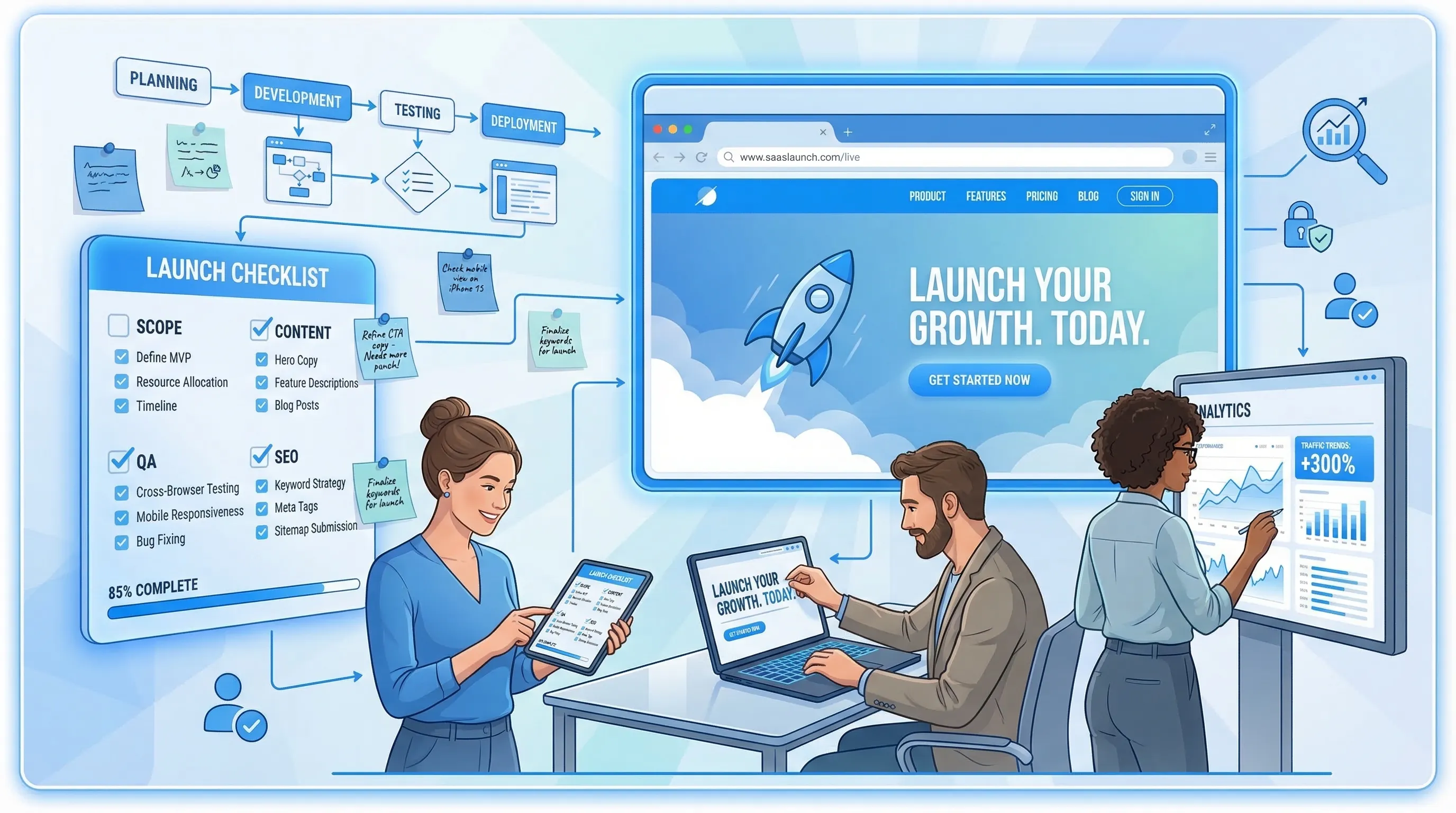
Launching a website is rarely blocked by “writing code.” It’s blocked by late decisions (scope, content, tracking, SEO), missing environments, and QA that happens after the build. The result is rework: redesigning templates because content does not fit, rebuilding forms because the CRM mapping is unclear, or scrambling to fix performance after marketing already shipped new assets.
This website development checklist is designed for SaaS founders, product teams, and marketers who want to launch fast without rework. It’s opinionated, practical, and organized around the moments where projects usually backtrack.
1) Lock the launch scope (so “fast” stays fast)
If you only do one thing before building, do this: write down what “launched” means.
Define a one-page launch spec
Include:
- Primary conversion goal (trial signup, demo request, waitlist, “contact sales”)
- Target audience and top 3 jobs-to-be-done (what they came to the site to accomplish)
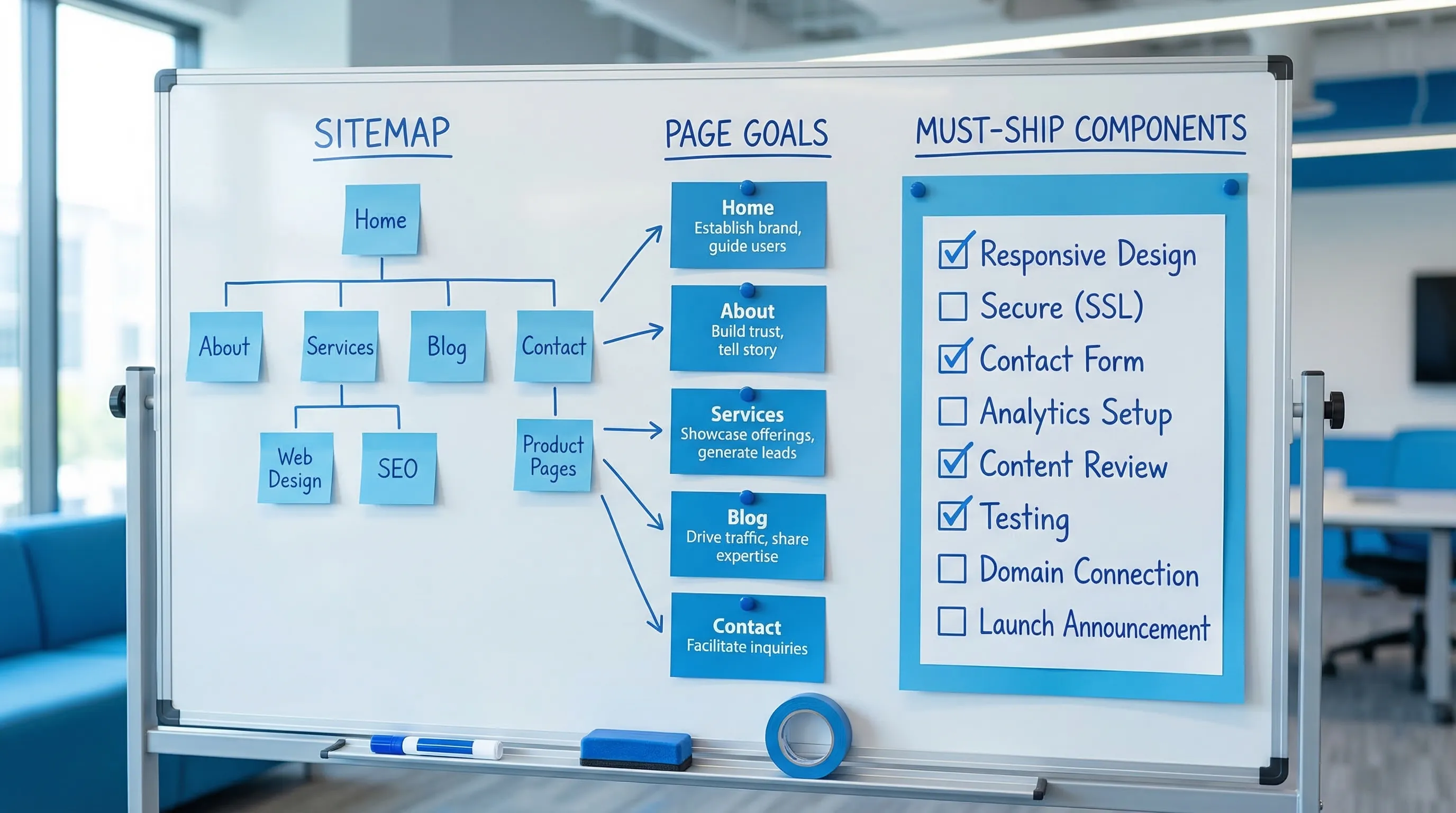
- Must-ship pages (for a SaaS marketing site: Home, Pricing, Features, Security/Trust, Docs, Contact)
- Must-ship components (header, nav, hero, social proof, CTA blocks, FAQ accordion if needed, forms)
- Out of scope until v1.1 (blog, resources hub, multi-language, complex animations)
A useful rule: if something is not in the spec, it is not allowed to block launch.
Decide your “no rework” guardrails
These guardrails prevent rework later by forcing earlier clarity:
- Content-first layout: confirm real copy length and real screenshots before you finalize spacing.
- One source of truth for copy: a single doc (or CMS) that designers and developers pull from.
- URL strategy is final before dev: slugs, subfolders, and whether you will keep old URLs.
- Analytics events are agreed before implementation: naming conventions, what counts as a conversion.
Choose the stack with speed-to-launch in mind
For most SaaS teams, the best stack is the one you can ship and maintain with minimal ceremony.
Decisions to make upfront:
- Rendering strategy: static generation for marketing pages, server rendering where personalization is required.
- CMS or no CMS: if marketing needs to ship copy changes weekly, a CMS can prevent engineering bottlenecks.
- Hosting: pick something with straightforward preview deploys and rollbacks.
2) Information architecture and content (do this before the pixels)
Rework often happens because teams design screens without agreeing on what the site must say.
Build a sitemap tied to user intent
For each page, answer:
- What question does this page resolve?
- What action should the user take next?
- What objection does it remove?
Example for a B2B SaaS pricing page:
- Question: “Which plan fits me and what will it cost?”
- Objections: “Will this integrate?”, “Is it secure?”, “Is it worth switching?”
- Next action: start trial or request demo
Draft real copy early (even if it’s ugly)
Create v0 copy that includes:
- Headline, subhead, primary CTA
- 3 to 6 benefit bullets (not features)
- Proof points (logos, numbers you can defend, testimonials you have permission to use)
- Form microcopy (what happens after submit, response time expectations)
This prevents “design fits lorem ipsum but not reality” rework.
3) Design checklist (optimize for consistency, not novelty)
Use a small component inventory
Before high-fidelity design, list the components you will reuse across pages:
- Hero (headline, subhead, CTA)
- Social proof strip
- Feature section (icon, title, short description)
- Testimonial card
- Pricing table
- CTA banner
- Footer
A smaller, reusable component set reduces rework because changes happen once, not across 12 bespoke sections.
Accessibility defaults (ship usable by default)
Bake these into the design system from day one:
- Color contrast that meets WCAG guidance (start with WCAG 2.2)
- Visible focus states for keyboard navigation
- Form labels (not placeholders-only)
- Error states that explain how to fix the issue
Accessibility retrofits are classic “late rework.” Treat them as default requirements.
Mobile behavior is designed, not implied
For every key section, decide:
- What collapses, what stacks, what hides
- Whether sticky CTAs appear on mobile
- How pricing tables behave (cards, horizontal scroll, simplified tiers)
4) Engineering checklist (avoid rebuilds caused by missing foundations)
Environments and deployment
- Preview deployments per pull request
- Staging environment that matches production as closely as possible
- Production deploy with rollback (one-click or scripted)
- Environment variables documented (who owns them, where they live)
Forms and data flows (the usual hidden rework)
Most teams rebuild forms at least once because they did not define what happens after submission.
Confirm before you build:
- Destination: email, CRM, database, Slack, help desk, or all of the above
- Field mapping: exactly where each field lands
- Spam protection strategy that does not destroy UX
- Error handling: retry behavior, user messaging, and logging
Tracking plan (implemented with intention)
Write a short tracking plan with:
- The conversion events that matter (trial start, demo request, pricing CTA click)
- The properties you need (plan, billing cadence, page, campaign)
- A naming convention that will not rot in 3 months
Tip: if marketing owns funnel reporting, involve them here, not at the end.
5) Performance checklist (prevent “optimize later” debt)
Performance is rarely a single fix. It’s usually a collection of small choices that must happen early.
Google’s Core Web Vitals are a practical baseline. Thresholds and definitions are documented in web.dev.
| Metric | What it represents | Common target noted by Google | Practical ways to hit it |
|---|---|---|---|
| LCP | Loading speed of main content | 2.5s or less | Optimize hero images, avoid blocking scripts, use efficient fonts |
| INP | Responsiveness to user input | 200ms or less | Reduce long tasks, split JS bundles, defer non-critical code |
| CLS | Visual stability | 0.1 or less | Set image dimensions, avoid layout shifts from late-loading UI |
Checks to run before launch:
- Lighthouse audits in Chrome DevTools (see Lighthouse docs)
- Image optimization (modern formats where appropriate, correct sizing)
- Script loading hygiene (avoid blocking, load non-critical scripts after interaction)
- Remove unused CSS and JavaScript
If you plan to add popups, surveys, or widgets, treat them as part of the performance budget, not “marketing code.”
6) Security and privacy checklist (minimum viable safety)
You do not need enterprise security theater to launch, but you do need basics.
Start with the OWASP Top 10 as a reality check, especially if you handle auth, user data, or payments.
Pre-launch basics:
- HTTPS everywhere
- Secure handling of secrets (never in client code, never in repos)
- Dependency scanning (at least alerting)
- Sensible security headers (CSP where feasible, anti-clickjacking, etc.)
- File upload restrictions (if applicable)
- Rate limiting on public endpoints (especially forms)
Privacy basics:
- Clear privacy policy and cookie disclosures appropriate to your audience and region
- Consent flows for email/SMS capture where required
- Data minimization, only ask for what you will use
7) QA checklist (what to test so you do not panic on launch day)
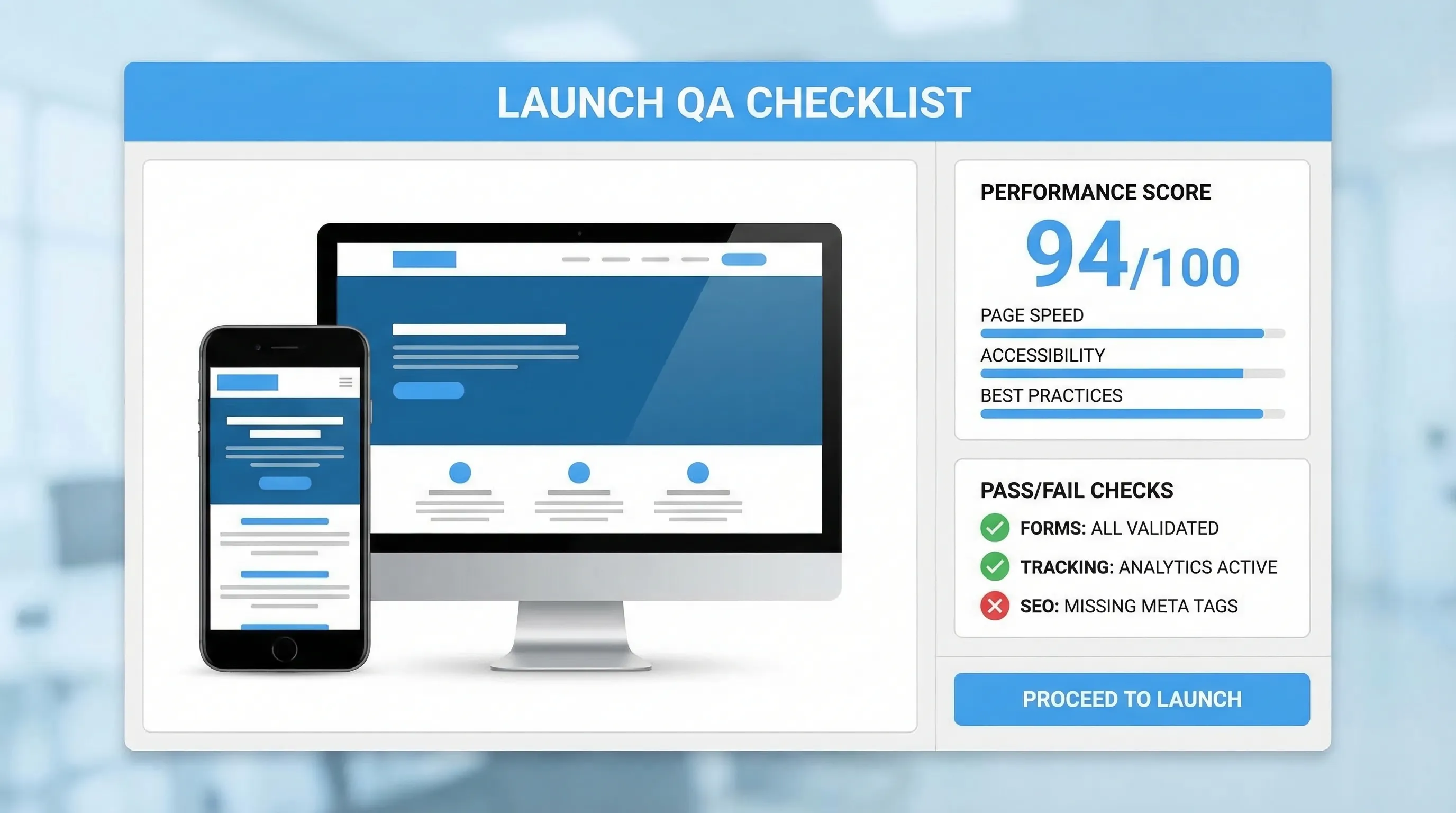
QA is where “launch fast” either holds or collapses. Focus QA on revenue paths and common breakpoints.
| Area | What to test | Why it prevents rework |
|---|---|---|
| Conversion path | Homepage CTA to signup/demo end-to-end | Catches broken links, tracking gaps, form failures |
| Forms | Validation, errors, spam behavior, CRM mapping | Prevents silent lead loss and re-implementation |
| Responsive layout | Key pages on common breakpoints | Prevents mobile-specific redesign after launch |
| Cross-browser | Chrome, Safari, Firefox (at minimum) | Avoids late CSS and JS fixes |
| Accessibility | Keyboard nav, focus states, labels | Avoids retrofitting UX and legal risk |
| SEO basics | Indexability, canonical tags, robots rules | Prevents “why are we not ranking?” fire drills |
| Performance | CWV proxies, heavy pages, third-party scripts | Prevents post-launch performance sprints |
| Error handling | 404/500 pages, form failure states | Prevents support load and trust erosion |
A simple practice that saves time: do a 30 minute “fresh eyes” walkthrough where someone not involved in the build tries to complete the primary goal.
8) SEO checklist (launch discoverable, not invisible)
This is the SEO minimum set for SaaS marketing sites.
Indexability and site structure
- Ensure important pages are indexable (no accidental
noindex) - Generate and submit a sitemap
- Confirm canonical URLs are correct (especially if you have both www and non-www)
Google’s SEO Starter Guide is still a solid sanity check.
Redirect plan (if replacing an old site)
If you are migrating:
- Map old URLs to new URLs before launch
- Use 301 redirects for moved content
- Avoid redirect chains
This is one of the most common sources of avoidable SEO rework.
On-page essentials (do not overcomplicate)
- Unique title tag and H1 per page
- Meta descriptions written for humans (not keyword stuffing)
- Descriptive internal links between related pages
9) Observability checklist (measure what matters on day one)
Launching without visibility forces rework because you cannot tell what broke or what to fix.
Pre-launch instrumentation:
- Analytics with a validated event list
- Error monitoring (frontend and backend)
- Basic uptime monitoring
- A way to capture qualitative feedback from real visitors
Qualitative feedback is especially useful in the first week because you will see issues your dashboards do not show (confusing copy, missing integrations, unclear pricing).
10) Launch plan checklist (ship with a rollback path)
Treat launch as a controlled release, not a big bang.
Final day checklist
- Content freeze (or controlled edits only)
- Backups of current production (if migrating)
- DNS and SSL verified
- Redirects tested in staging
- Analytics tested (events firing, conversions counted)
- Rollback plan confirmed (who does it, how long it takes)
Communication checklist
- Internal announcement (support, sales, success teams)
- Known issues list (so you do not misclassify bugs as new reports)
- Support response macros for likely questions
11) Post-launch checklist (where you prevent week-2 rework)
The goal post-launch is to make small, fast corrections instead of large rebuilds.
First 48 hours
- Fix broken links, missing images, and form submission errors immediately
- Watch performance after real traffic hits (third-party scripts often behave differently)
- Validate conversions and lead routing (sample real submissions)
First 2 weeks
- Run a small messaging and UX iteration cycle: fix one page at a time
- Identify top drop-off pages and decide whether the problem is intent mismatch or UX friction
- Start collecting structured feedback tied to specific pages
A simple, high-signal pattern for SaaS sites is a lightweight widget that can:
- Collect feedback on friction points (pricing confusion, missing features)
- Capture leads when intent is high (pricing page, integration pages)
- Share updates (launch notes, roadmap highlights)
If you want a single on-site surface for those, Modalcast is built for lightweight engagement and feedback without heavy implementation. You can keep it conversion-safe by following the same principles you use for the site itself: relevance, timing, and frequency caps. (If performance is a concern, this is worth reading: Popup load speed without sacrificing design.)
A practical “definition of done” you can copy
Use this as your launch gate. If a box is unchecked, it is either a planned exception or a launch blocker.
| Category | Done means | Owner |
|---|---|---|
| Scope | Must-ship pages and components match the spec | PM or founder |
| Content | Final copy and assets placed, no placeholders | Marketing |
| Conversion | Primary CTA works end-to-end | Growth or PM |
| Forms | Submissions routed and mapped correctly | Eng + marketing ops |
| Analytics | Conversion events validated | Growth |
| SEO | Indexability, sitemap, redirects (if needed) | Marketing or SEO |
| Performance | CWV-friendly, no obvious bottlenecks | Eng |
| Accessibility | Keyboard, contrast, labels pass baseline checks | Design + eng |
| Security | HTTPS, secrets, basic headers, spam mitigation | Eng |
| Rollback | Deployment and rollback tested | Eng |
Final note: the fastest teams decide earlier
“Launch fast without rework” is mostly about sequence. Decide scope, content, URLs, tracking, and form routing before you build. Validate performance, accessibility, and SEO before you polish. Then launch with monitoring and a feedback loop so your next iteration is targeted, not reactive.
If you want to add a lightweight post-launch feedback loop to your site, you can explore Modalcast at Modalcast.com.
