In Product Feedback Tool: Where to Prompt for Max Signal
Most “feedback problems” in SaaS are really prompting problems.
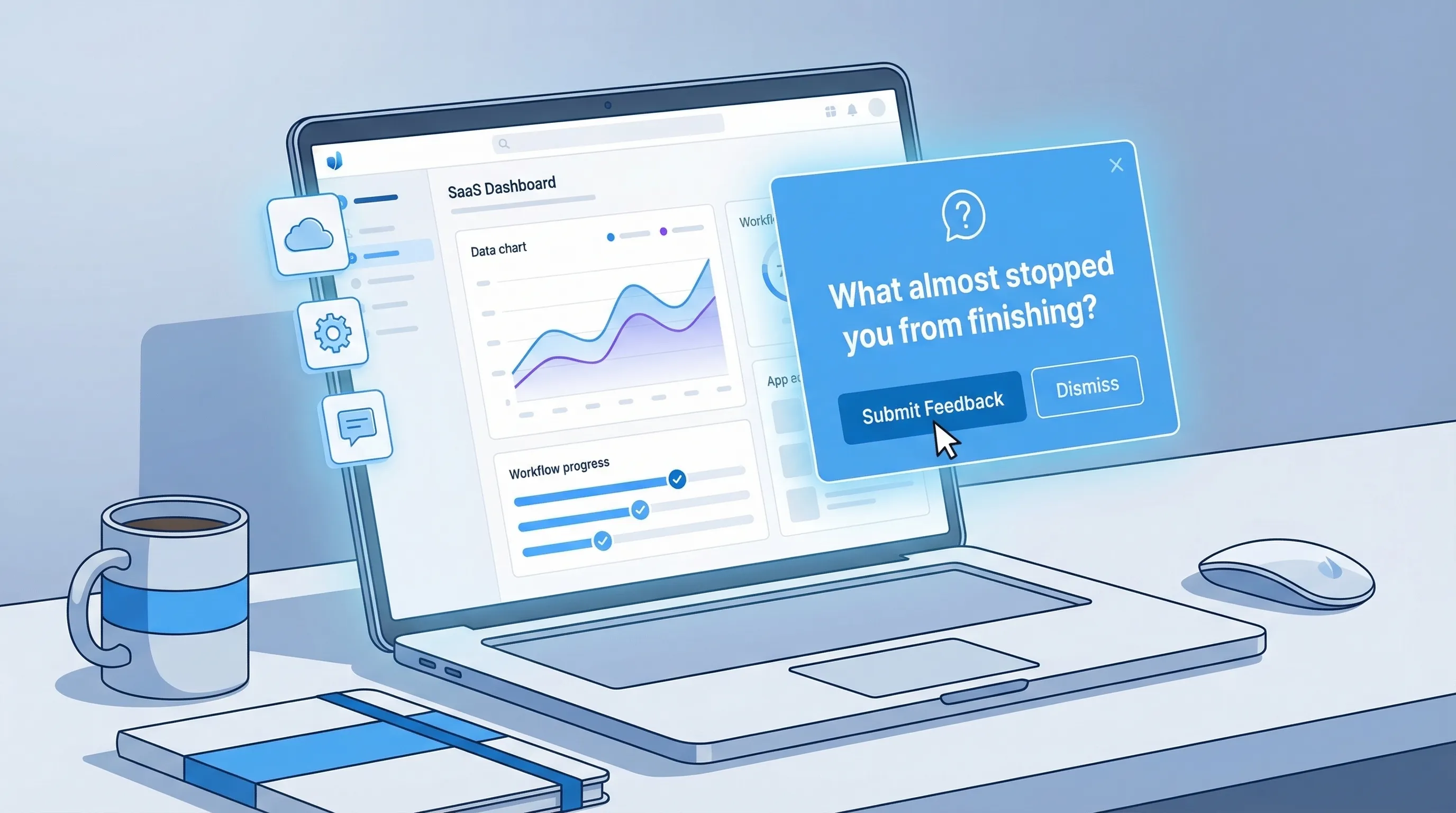
Most “feedback problems” in SaaS are really prompting problems.
When you ask in the wrong place (or at the wrong moment), you get low-volume, low-signal responses like “looks good” or “too expensive” with no context. When you ask in the right place, you get answers you can actually ship against: what the user was trying to do, where they got stuck, and what outcome they expected.
This guide breaks down where to prompt in an in product feedback tool to maximize signal, with practical placements, example questions, and what to do with the data.
What “max signal” means in-product
High-signal feedback has three properties:
- Context: tied to a specific page, feature, workflow step, or event.
- Intent: you’re sampling users who are actually experiencing the thing you care about (not random drive-bys).
- Decision-readiness: the response maps to an action (fix, clarify, re-route, price, message, or deprioritize).
If a prompt doesn’t point to a decision, it will drift into generic commentary.
The prompting rule most teams miss: anchor every ask to a hypothesis
Before you choose placement, write the one sentence you want to validate:
- “Users who connect the integration still do not reach first value because the dashboard is empty.”
- “Trial users understand the feature, but do not trust the results enough to share them.”
- “Paid users churn because the workflow is too slow on large datasets.”
Then pick the prompt location where that hypothesis becomes observable.
8 high-leverage places to prompt (and what to ask)
1) Immediately after a meaningful action (post-action microsurvey)
This is the highest signal placement for most SaaS products because it catches users right after intent becomes behavior.
Good moments:
- Created first project, report, workspace, repository
- Invited a teammate
- Completed setup step (API key added, integration connected)
- Exported, shared, or published something
Prompt type: 1 question, optional follow-up.
Example questions:
- “What was the main reason you shared this?”
- “What almost stopped you from finishing?”
- “What would you change about this flow?”
What you get: workflow friction, missing steps, success criteria, motivation.
2) Right when friction occurs (error, dead-end, or slowdown)
Friction-triggered prompts are how you capture the feedback users rarely take time to file in support tickets.
Good moments:
- Validation errors that repeat
- Permission denied or role confusion
- Empty states where users expected data
- Long-running jobs, timeouts, failed imports
Prompt type: lightweight “tell us what happened” with auto-captured context (URL, step, optional screenshot if you support it).
Example questions:
- “What were you trying to do when this happened?”
- “Which part is unclear?”
- “If we fixed one thing here, what should it be?”
Guardrail: do not prompt on every error. Sample (for example, 5 to 10 percent) and frequency-cap so it does not feel like the app is “nagging.”
3) During onboarding milestones (to improve activation)
Onboarding prompts work best when you stop asking “How is onboarding?” and start asking “Did you reach the next milestone, and if not, why?”
Good moments:
- After signup, after first session, after the “aha” action
- When a user abandons a required setup step
- When time-to-first-value is exceeded (for example, they signed up 3 days ago but never completed setup)
Example questions:
- “What are you hoping to accomplish with product?” (route to the right path)
- “What’s blocking you right now?”
- “What would success look like in the next 7 days?”
This placement is especially powerful when paired with routing. If someone says “I’m evaluating for my team,” you can point them to the team template, security docs, or an invite teammate step.
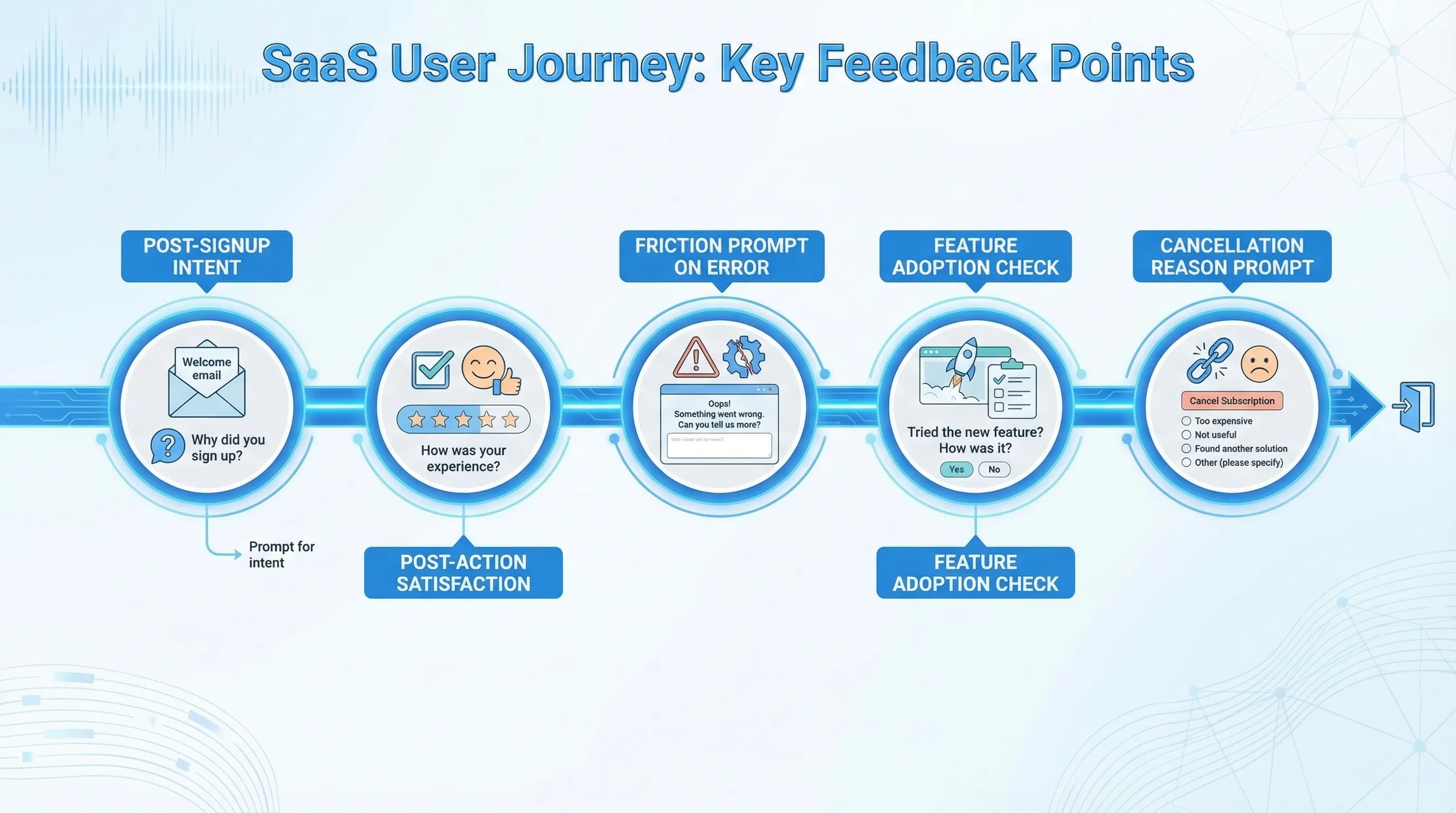
4) After first use of a feature (adoption and comprehension)
If you ship features and adoption lags, don’t ask everyone “Do you like it?” Ask the people who actually touched it.
Good moments:
- Immediately after first completion of the feature’s “core action”
- After third use (users have enough experience to critique)
Example questions:
- “Did this do what you expected?” (Yes/No)
- “What did you expect to happen?” (conditional follow-up)
- “What would make you use this weekly?”
This is where you uncover mismatches between your product language and the user’s mental model. Nielsen Norman Group has long emphasized that user feedback is more actionable when it is grounded in the user’s context and task, not abstract opinions.
5) On upgrade intent moments (limits, paywalls, billing screens)
Pricing objections are often high emotion and low detail, unless you capture them at the exact moment they occur.
Good moments:
- User hits a usage limit
- User opens the billing page
- User clicks “Upgrade” then closes
Example questions:
- “What’s stopping you from upgrading today?”
- “Which plan were you looking for?”
- “What’s missing for this to be worth $X/month?” (only if the user is already viewing pricing in-app)
Important: keep the prompt respectful. The goal is clarity, not pressure.
6) In the help context (docs, tooltips, support widgets)
Help content is a goldmine because it is self-selected confusion.
Good moments:
- After viewing a docs page for 20 to 40 seconds
- After searching in help and not clicking a result
- After reading a tooltip or tutorial
Example questions:
- “Did this answer your question?” (Yes/No)
- “What were you trying to do?”
- “What’s the missing example?”
This is also one of the easiest loops to close because the fix is often a docs update, UI copy tweak, or a better default.
7) After repeated “workarounds” (behavioral signals)
Some of the best product feedback is hidden in patterns:
- Exporting to CSV repeatedly
- Copying and pasting values from a table
- Creating multiple dashboards because filtering is weak
If you can detect a proxy event, you can prompt:
- “I noticed you exported a few times. What are you trying to do with the data?”
- “What’s missing in the product that makes export necessary?”
Even without deep event detection, you can approximate with simple rules, like “prompt after the third export.”
8) At cancellation or downgrade (retention truth serum)
Churn prompts are common, but they become high-signal only when:
- You ask in-product, at the moment of cancellation
- You constrain answers to decisionable buckets
- You capture one free-text detail for nuance
Example structure:
- “What’s the main reason you’re leaving?” (pick one)
- “What’s the specific issue?” (optional free text)
- “What could we have done to keep you?” (optional)
If you sell to teams, consider role-based routing here (admin vs end user) because their reasons differ.
Quick placement matrix (copy/paste for planning)
| Prompt location | Best for | Who you’re sampling | Prompt style | Example question | Typical action |
|---|---|---|---|---|---|
| Post-action (after key event) | Workflow quality | Users who succeeded | 1-question microsurvey | “What almost stopped you?” | Fix friction, tighten steps |
| Friction (error/empty state) | Debugging UX | Users who are stuck | Short form + context | “What were you trying to do?” | Bug fix, copy update |
| Onboarding milestone | Activation | New users in first sessions | Intent question + routing | “What’s your goal today?” | Personalize onboarding |
| First use of feature | Adoption | Real feature users | Yes/No + follow-up | “Did this meet expectations?” | Improve UX, rename feature |
| Upgrade moment | Pricing objections | Evaluators with intent | 1 question, optional | “What’s stopping you?” | Adjust packaging, add proof |
| Help/docs context | Self-serve success | Users seeking answers | Binary + free text | “Did this help?” | Improve docs, add examples |
| Workaround behavior | Missing capability | Power users | Short prompt | “What are you exporting for?” | Build features, add integrations |
| Cancel/downgrade | Retention | At-risk users | Multi-choice + one text | “Main reason?” | Save plays, roadmap clarity |
Prompt design that protects UX (and improves honesty)
Even perfect placement fails if the prompt feels heavy.
Use these rules:
- One job per prompt: do not combine research + lead capture + upsell.
- Default to 1 question: add a follow-up only when the first answer indicates a problem.
- Let people skip: “Not now” is part of being respectful (and improves long-term response quality).
- Be specific about why you ask: “This helps us improve the import flow” beats “Help us improve.”
- Frequency-cap aggressively: if you run multiple prompts, set a global “attention budget” so users are not bombarded.
If you want more on avoiding manipulative patterns, the FTC has published guidance on deceptive design practices, which is worth aligning with even if you are not doing anything intentionally harmful.
A simple rollout plan (ship in a week)
Pick one decision and one moment
Start with the prompt that affects revenue or retention fastest:
- Activation blocker prompt in onboarding
- Pricing objection prompt on upgrade intent
- Post-action prompt after core workflow
Define success beyond response rate
Response rate alone can mislead. Track:
- Reduction in support tickets for the prompted flow
- Increase in completion rate for the workflow step
- Changes in activation rate or time-to-first-value
- Upgrade conversion rate (if the prompt is in monetization flow)
Close the loop visibly
If users tell you what is broken and nothing changes, future signal drops.
Two lightweight ways to close the loop:
- In-product update: “We fixed the import error you reported.”
- Targeted follow-up: “You mentioned X, can we show you the new Y?”
Implementing this with a lightweight widget
If your product is web-based (or you can embed web views), a lightweight on-site widget can cover many of these placements with:
- Triggered microsurveys (post-action, friction, milestone)
- A persistent feedback entry point (so users can report issues anytime)
- Simple targeting and frequency caps (so prompts do not collide)
Modalcast is built around this “one widget, many messages” approach for feedback, updates, lead capture, and offers. If you want to ship one prompt quickly and iterate, you can start here: Modalcast.
Frequently Asked Questions
What is the best place to prompt users in an in product feedback tool? The best place is usually right after a meaningful action (for example, after creating, sharing, or completing a key step). It captures context and intent, which increases signal.
How many questions should an in-product feedback prompt ask? Start with one question. Add a second question only conditionally (for example, when a user answers “No” to “Did this work as expected?”).
Should I prompt on errors or is that annoying? Prompting on errors can be high-signal if you sample a small percentage of events and apply strict frequency caps. Otherwise it can feel like spam.
How do I collect pricing objections without hurting conversions? Prompt only at high-intent moments (billing page, upgrade click, limit reached), keep it to one question, and always include a clear skip option.
What’s the difference between in-product surveys and email surveys? In-product prompts capture feedback in the moment with strong context. Email surveys are better for broader sentiment and longer answers, but they suffer from recall bias.
How do I know if my prompts are working? Look for downstream impact, such as improved completion rates, fewer support tickets, higher activation, or better upgrade conversion, not just response rate.
Try one high-signal prompt this week
If you want to get better feedback without adding a heavy research stack, ship a single prompt at a single moment (post-action, onboarding milestone, or upgrade intent), then iterate weekly.
To launch that quickly with a lightweight widget, explore Modalcast and start with one microsurvey tied to a real product decision.
